
Financial Reports for All Your Clients
Financial reporting is powerful. The core reports are easy to run:
P&L / Balance Sheet
Trial Balance / Cash Flow
General Ledger / Account Details
Don’t leave your reporting process to chance
When it comes to reporting, you need clean, dependable outputs you can review with confidence. SPRK gives you fast access to core financial reports like Profit & Loss, Balance Sheet, Trial Balance, and Cash Flow, without adding unnecessary steps.
Accountants want reporting that is clear, flexible, and easy to share. That’s why we focus on practical report options like Compare Period views, grouped columns on the P&L, and batch exporting with Print Many.
Easy Reporting Process
Getting started with reporting is easy when your key financial statements are available in one place. Run a P&L, Balance Sheet, Trial Balance, or Cash Flow report, then review the output in a consistent format with the control to compare periods where it matters most.
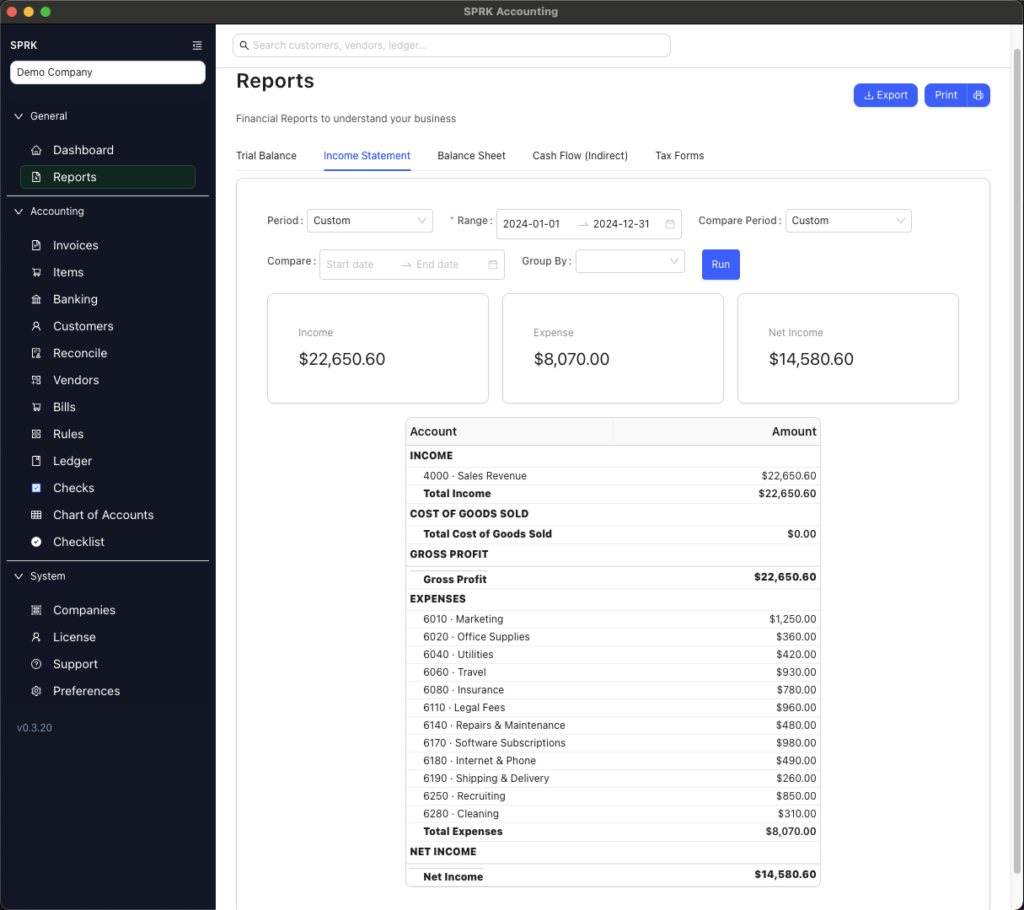
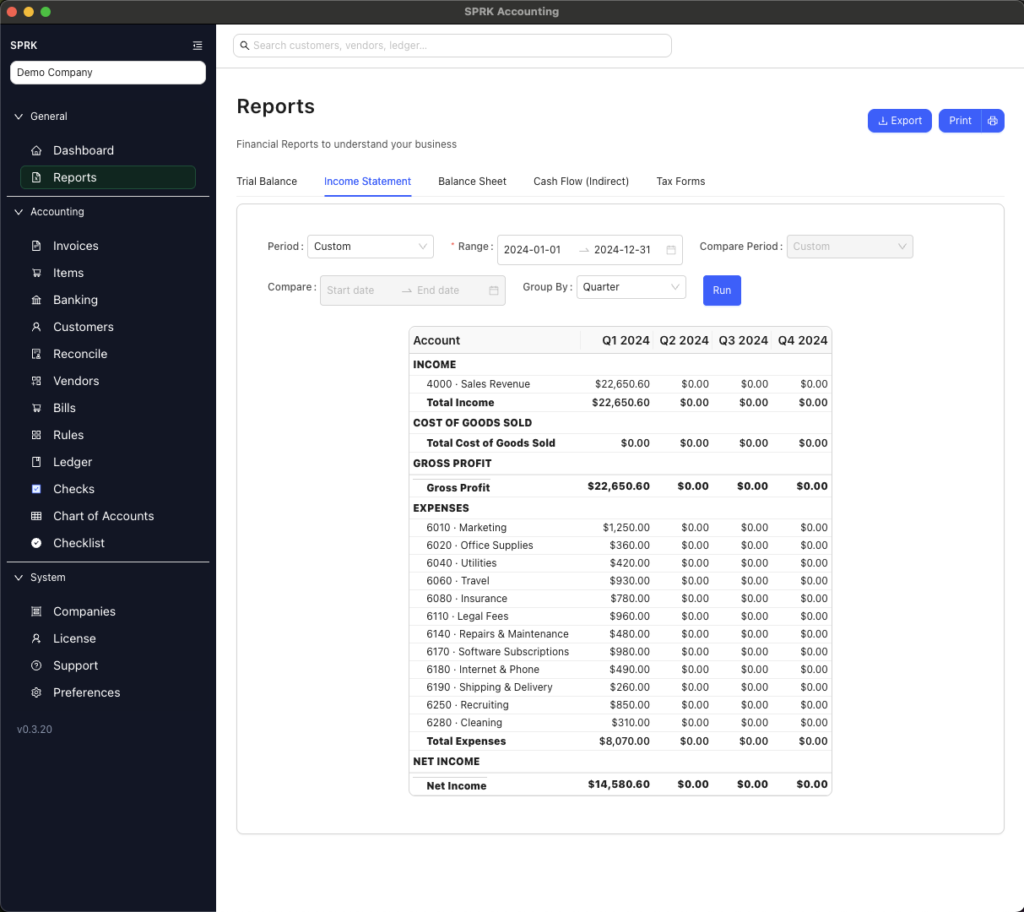
Use Compare Period on the P&L and Balance Sheet. On the P&L, you can also group columns by the time period you want to analyze, making trends easier to review.
Use Print Many for Easy Output
We’re here to make reporting easier without adding friction. Use Print Many to export multiple reports in one batch, so you can deliver a full reporting package without clicking through report after report.

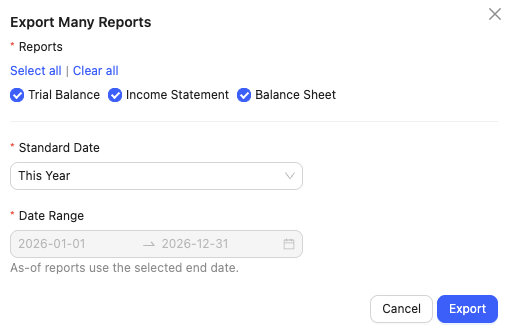
- Export multiple reports at once with Print Many for faster review and delivery
- Create a cleaner workflow by packaging key reports together in a single output
Generate Tax Forms when needed
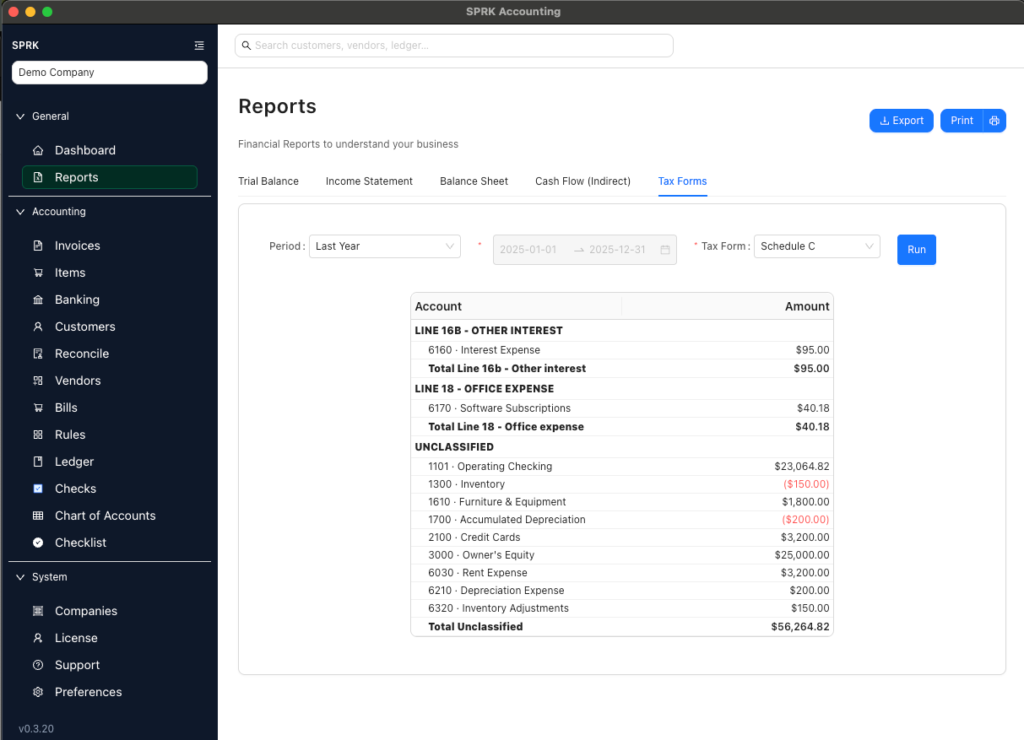
Through chart of accounts mapping, SPRK can generate tax forms from your accounting data. We currently support Schedule C, Form 1065, Form 1120, and Form 1120-S. Contact Us if there’s a tax report you want us to support.
The ultimate speed + insight combo
Core financial reports give you fast access to the numbers that matter most.
Compare Period options help you evaluate changes on the P&L and Balance Sheet.
Print Many reduces clicks by letting you export several reports in one pass.
How do our reports compare?
From P&L and Balance Sheet to Trial Balance, Cash Flow, General Ledger, Account Details, and mapped tax forms, SPRK gives you a practical reporting toolkit in one place.
| SPRK Systems | Quickbooks Online | |
| Income Statement, Balance Sheet, Cash Flow | ✅ | ✅ |
| Tax Form Reports | ✅ | ✅ (Accountant View Only) |
| No Forced Line Assignments | ✅ | ❌ |
| Export All with One Button | ✅ | ❌ |
| Branded Reports | Coming Soon | Advanced Only |
Reporting FAQ’s
What Reports are available?
The core reports are P&L, Balance Sheet, Trial Balance, and Cash Flow. We also offer General Ledger and Account Details reports. If you need another report, let us know and we will review it for our roadmap.
Can we compare and group time periods?
Yes. P&L and Balance Sheet include Compare Period options, and the P&L can also group columns by a selected time period. Print Many lets you export multiple reports at once instead of opening each report page separately.
What are the tax form generation capabilities?
We currently support a tax form report that maps your chart of accounts to specific tax form lines. We currently support Schedule C, Form 1065, Form 1120, and Form 1120-S. If you need a different tax form, let us know and we’d be happy to add it.


