
Bank Import with Speed & Control
With SPRK, importing bank data is easy. The process is simple:
QBO/CSV Imports
Review & Confirmation
Automation with Rules
Don’t leave your banking process to chance
When it comes to banking, live bank feeds and AI are brittle and unreliable. There are too many broken feeds, duplicate or missing transactions, and overall frustration. And the last thing you need to manage your banking data is a brittle process.
Many accountants tell us “Don’t ever force us to use live bank feeds” and we never will. We trust accountants to know their business and know their accounts.
Easy Import Process
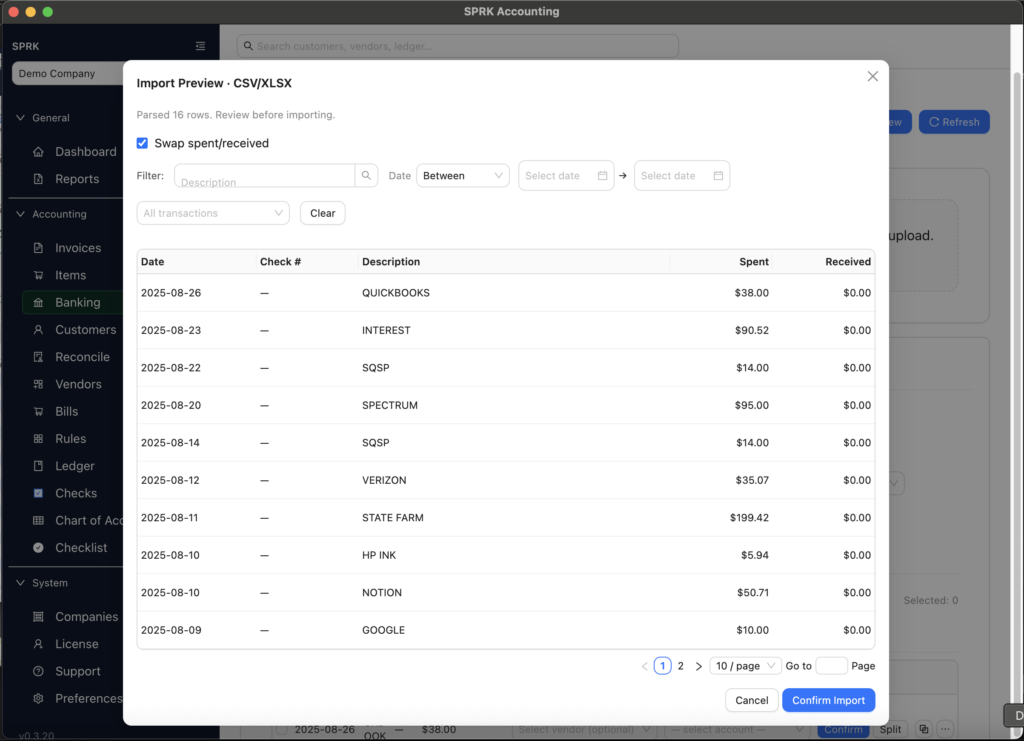
Getting started with bank data import is easy when you can import records from QBO or CSV files. Before anything is imported, you go through a preview and confirmation step so the data is reviewed, verified, and correct ,with full control.
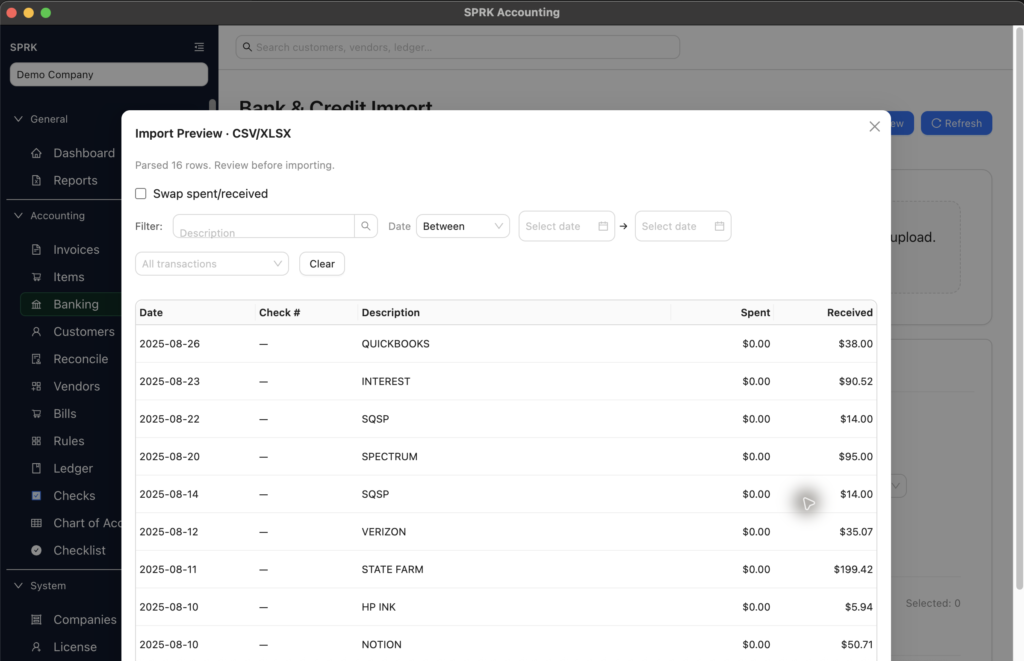
Use the “Swap spent/received” button Once the import looks right, you decide how accounts should be handled. With SPRK Systems, the next step is fully in your control.
Create Rules for Easy Automation
We’re here to make your life easier, without ever forcing. Create rules so that the suggested account is automatic. Unlike competitors, we’ll never force rules or suggestions on you. But we make it easy for you to speed up your process.
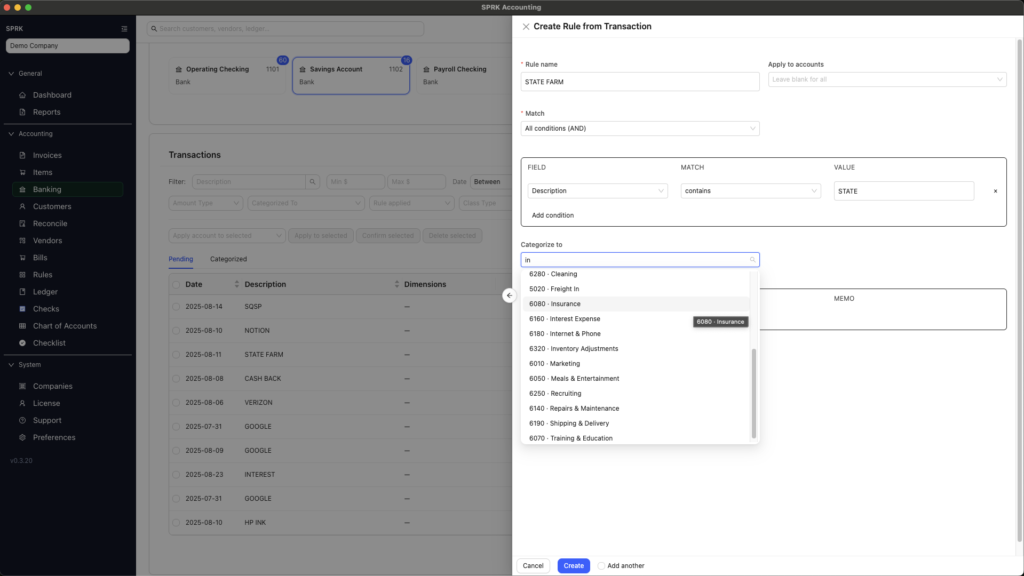
- Automate account selections through rules, with a manual confirmation for perfect control
- Easily create rules from the bank confirmation screen
Split Transactions when needed
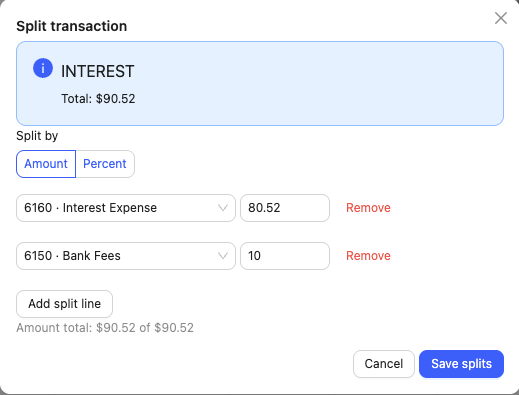
When a bank transaction should be split into multiple lines, it’s easy to do so, with automatic validation to make sure there’s no balancing issues. You can also create rules with splits.
The ultimate speed + control combo
QBO and CSV file uploads reduce the amount of rework associated with live bank feeds.
Rules that you define decrease time spent scrolling through accounts
Automation + Manual Review removes friction and keeps you in complete control
How do we compare?
QBO and CSV file uploads reduce the amount of rework associated with live bank feeds.
| SPRK Systems | Quickbooks Online | |
| CSV / QBO Bank Import | ✅ | ✅ |
| Create your own Rules | ✅ | ✅ |
| Data Import Advanced Detection | ✅ | ❌ |
| No Forced Automation | ✅ | ❌ |
Banking Process FAQ’s
What File Formats do you support?
CSV and QBO are the most common and we support both. If you need another file format, just let us know and we will add it to our list of features.
How do Split Transactions work?
You can allocate an individual transaction, or create a rule, to split transactions by dollar amount or percentage. If you choose dollar amount, we require you to create a “Balance Account” so that any remaining values have a designated location. If you choose percentage, we require the total to add up to 100%.
What if we want live bank feeds?
We won’t ever support “live” bank feeds like some of our competitors, because it is extremely brittle. We are working on a paid upgrade for “periodic” bank feeds. It would let you import transactions that aren’t currently in your list of transactions and would go through the same review/confirm process. If you’re interested, let us know.


