
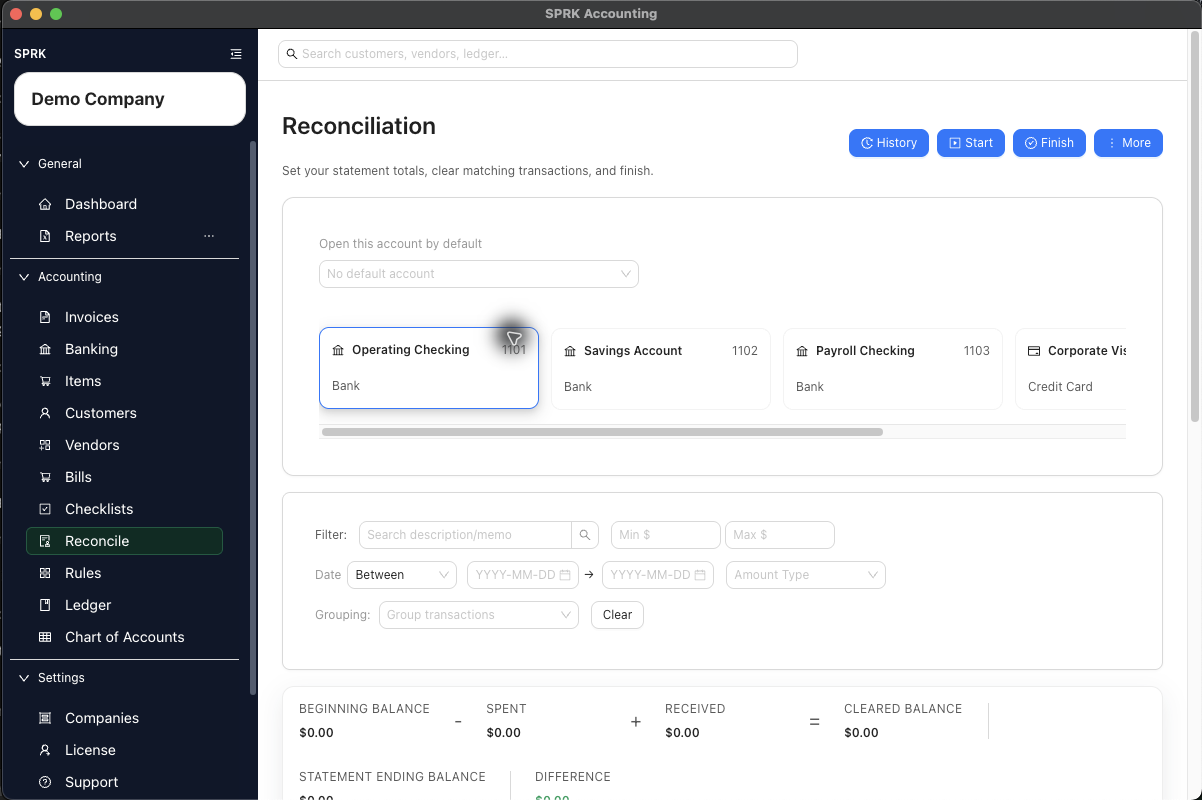
Clear the right confirmed transactions, monitor the difference, and finish the reconciliation only when the selected activity agrees to the statement ending balance.
When to use this
Use this workflow after a reconciliation session is started and you are ready to clear transactions and finalize the statement.
Before you start
- A reconciliation session is already active for the account.
- The account’s
Statement opening balance,Statement ending balance, and statement date range are already set. - The transactions you plan to clear are confirmed and belong to the selected account.
Steps
- Open
Reconcilefor the correct account. - Review the summary bar. Bank registers show
SpentandReceived; other general-ledger accounts showDecreasesandIncreases. Both paths showBeginning balance,Cleared balance,Statement ending balance, andDifference. - Review the preselected transactions and adjust the selection as needed:
- Leave selected only the confirmed transactions that should clear on the statement.
- Remove transactions that fall inside the date range but should not clear yet.
- Add any eligible confirmed transactions that belong on the statement and are still unselected.
- Use filters, sorting, or grouping to review the list more efficiently.
- Watch the summary bar as you change the selection:
Cleared balanceis calculated from beginning balance, spent, and received totals.Differencemust reach zero before a normal reconciliation can finish.
- When the difference is zero, select
Finish.- If a later reconciliation period carries an opening balance that already equals the statement ending balance, SPRK can finish the quiet period with zero selected transactions.
- If needed, use
Exportbefore finishing to download the current reconciliation table as a CSV review file. - After the reconciliation is posted, use
HistoryandView report, or useMore>Print Bank Rec, when you need to review the bank reconciliation report for that posted statement period.
What happens next
SPRK finalizes the reconciliation for the selected statement window.
- SPRK creates a posted reconciliation record for the account and statement ending date.
- The posted statement ending balance becomes the beginning balance source for later reconciliations on the same account.
- For a bank register, each selected confirmed bank transaction is stamped as reconciled and tied to the statement period. For another general-ledger account, SPRK stores the selected ledger-line references with the reconciliation session.
- SPRK requires the difference to be zero for reconciliations with prior history.
- Later reconciliations can finish with no selected transactions when the carried opening balance already equals the statement ending balance.
- Posted reconciliation records can be reviewed later from reconciliation history and the Reports
Reconciliationtab. - If a later supported journal correction explicitly voids a posted session, SPRK retains the session in
Historywith statusVoided; that session no longer supplies the opening balance for future reconciliations.