
Review checklist runs by status, period, and notes so you can see what is still in progress and what has already been completed.
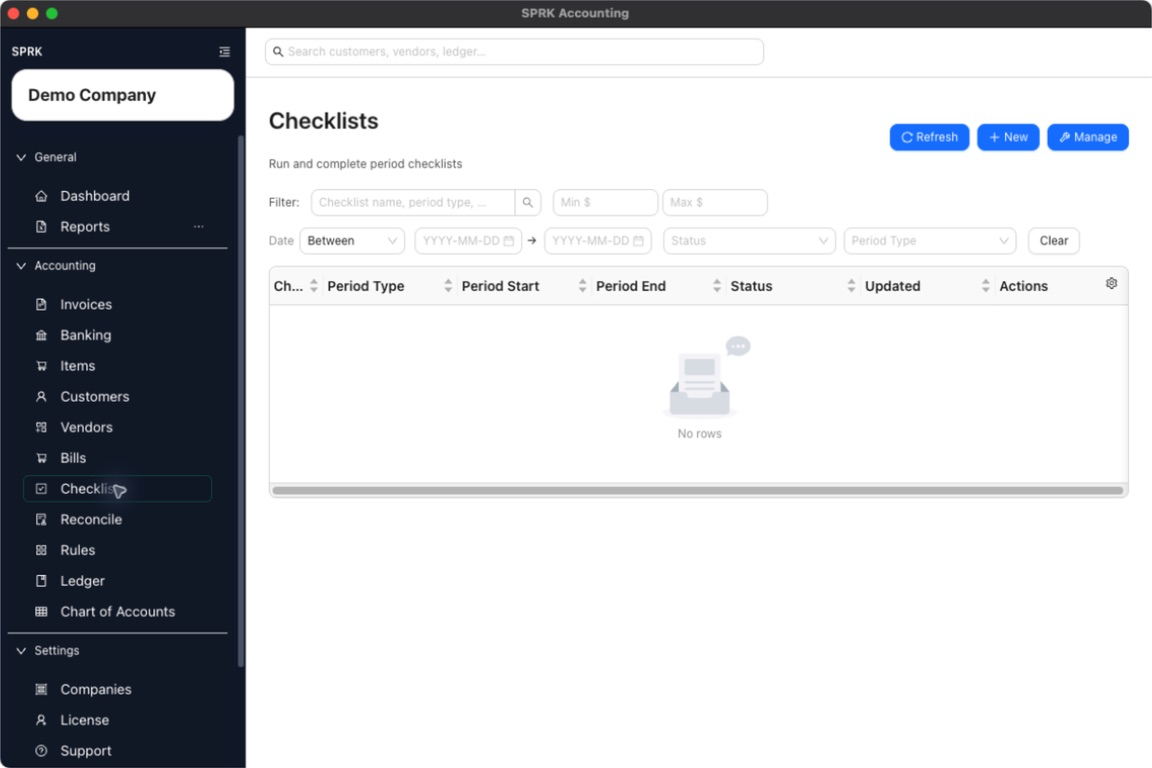
When to use this
Use this guide when you need to review checklist-run progress across periods, identify unfinished work, or confirm that a recurring checklist was completed.
Before you start
- An active company is selected.
- At least one checklist run exists for the period you want to review.
Steps
- Open
Checklist. - Review the run table columns:
ChecklistPeriod TypePeriod StartPeriod EndStatusUpdated
- Use the
Filterfield when you want to search by checklist name, period type, notes, or status text. - Narrow the list further when needed:
- Use the date controls for a time window.
- Filter by
Status. - Filter by
Period Type.
- Select
Clearto reset the filters when you need the full list again. - Open a run from the table to review its stored responses and notes in detail.
- If a run is still
DraftorIn Progress, update the run or return to the source workflow that still needs to be completed. - Use
Refreshwhen recent changes are not yet visible in the list.
What happens next
You can see which checklist runs are open, completed, or due for follow-up without leaving the Checklist page.
- Filters and sorting help you find the checklist runs that need attention.
- Status values show checklist progress only; they do not confirm that underlying accounting entries are correct.
- The checklist page can help you spot unfinished work, but any ledger change still has to be reviewed and posted in the relevant transaction workflow.