
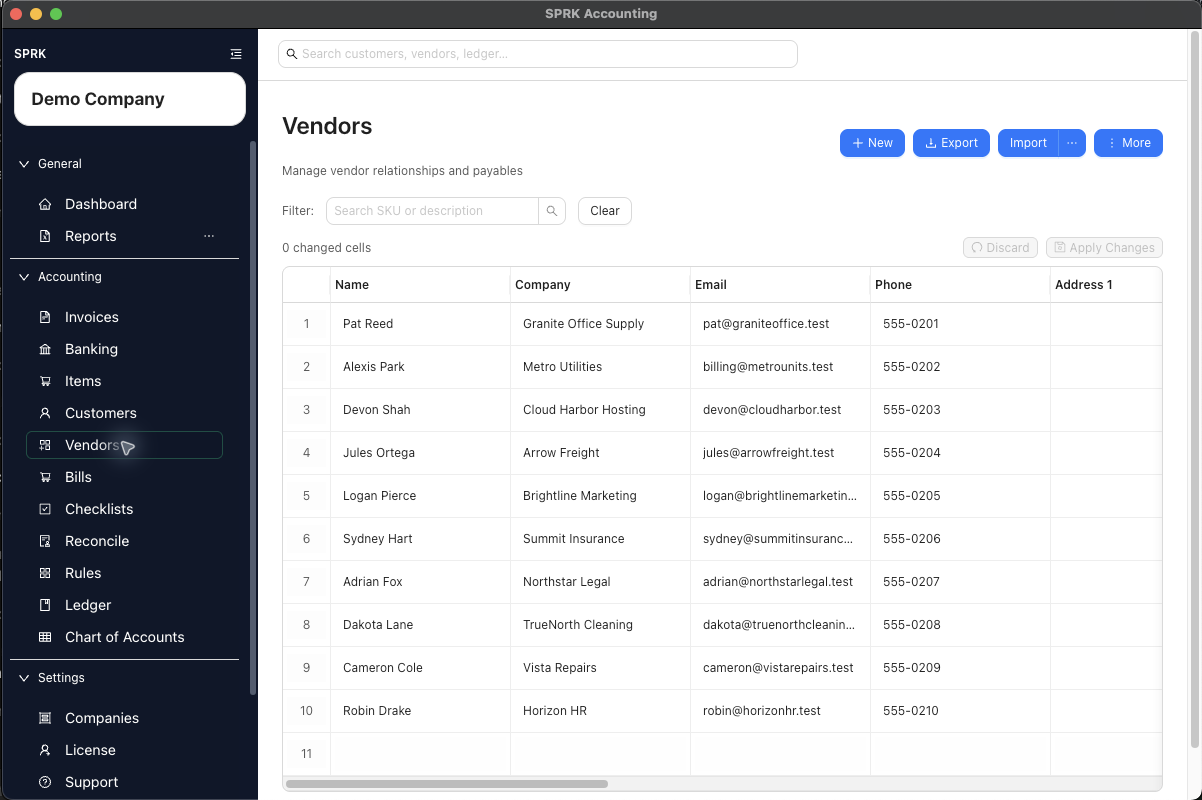
Create and maintain vendor records so bills, checks, and vendor reporting use the right payee information.
When to use this
Use this guide when you need a clean vendor record before entering bills, printing or tracking checks, classifying repeat bank activity, or reviewing vendor-specific activity.
Before you start
- You can open the
Vendorspage. - You know the vendor name you want to use.
- If you plan to reuse an expense default later, you know which expense account should usually be associated with this vendor.
- You know whether this vendor should be marked for
1099tracking and related expense reporting filters.
Steps
- Open
Vendors. - Select
Newto create a vendor, use the row actions to view or edit an existing one, or useMore>Enable Grid Modewhen repeated vendor cleanup will be faster in a table. - Enter the vendor details that matter for your process:
Nameis required.Company,Email, andPhonesupport payables communication and lookup.- Address fields help complete the payee record when needed.
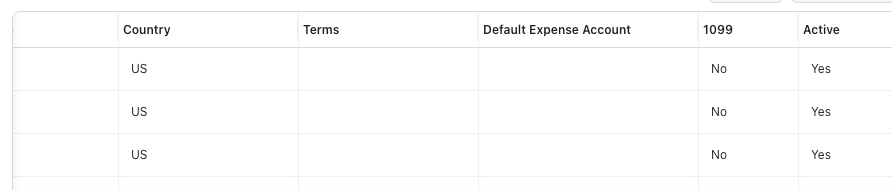
Default Expense Accountcan help supported check and banking workflows start from a reusable category.1099marks the vendor for 1099 tracking and related vendor expense reporting filters.Activecontrols whether the record stays available for normal use.
- Save the vendor.
- Use the Vendors page search when you need to find the record later by name, company, email, or phone.
- If you import vendors, review any mapped default expense accounts and
1099values before you rely on those records in live workflows.- Vendor imports can map headers such as
1099,1099 Eligible,Track 1099,IS1099,IS 1099,TRACK1099, andTRACK 1099.
- Vendor imports can map headers such as
- Use the vendor row
Registeraction when you need activity history tied to that vendor.- In the register modal,
ExportandPrintuse the currently filtered register rows and visible columns. - Use the system print dialog when you want a PDF copy of the register output.
- In the register modal,
- If you update several vendor fields at once, use Grid Edit or a saved Grid Edit default on supported pages to reduce repeated drawer work, then review the changed-cell count before selecting
Apply Changes.
What happens next
The vendor is available for bill entry, check tracking, banking categorization, 1099-oriented expense review, and vendor lookup.
Clean, unique active vendor names also improve vendor-aware bank-import review when that workflow is available. Spreadsheet imports can resolve exact active vendor IDs and uniquely matched active vendor names during preview; unresolved imported names remain available for review or vendor creation from the import preview.
The 1099 field changes vendor setup and report filtering only. It does not create tax forms, file 1099s, or post accounting activity by itself.
If something looks wrong
| What You See | What To Check | What To Do Next |
|---|---|---|
| Two similar workflows or fields are easy to mix up | Treating Vendors as only a contact list | It also supports reusable setup defaults and vendor-level register review |