
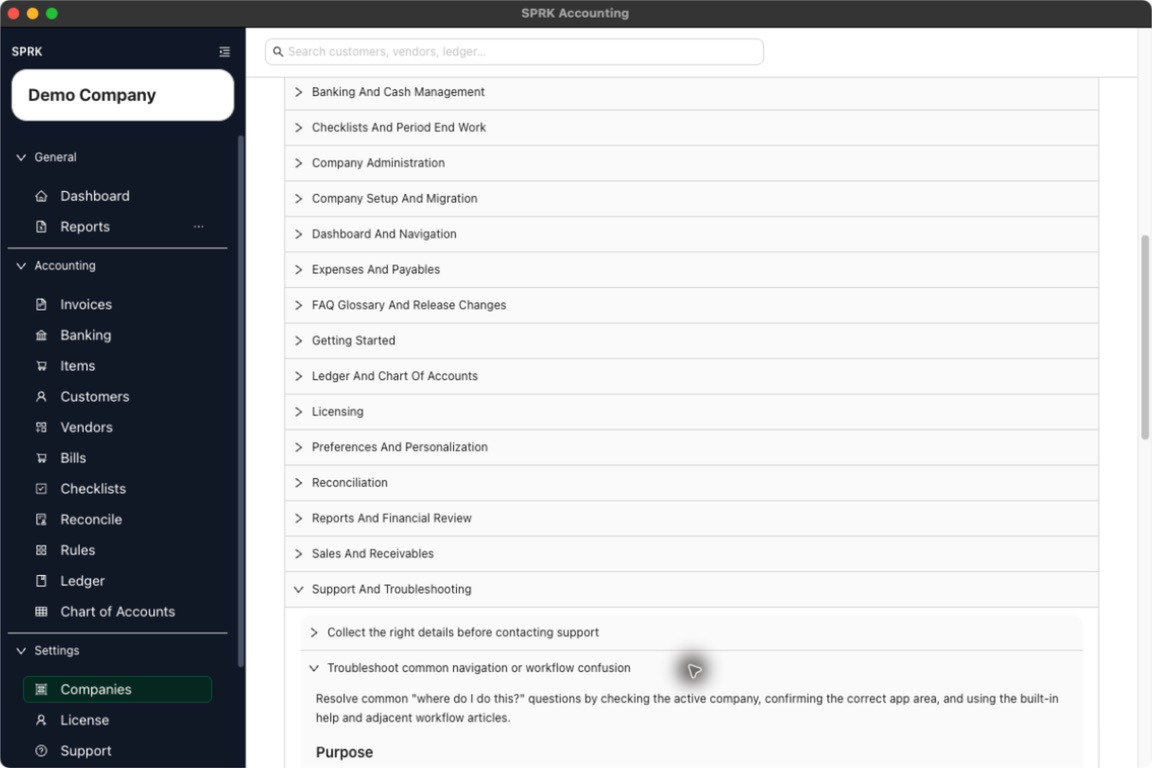
Check the active company, the app area, and any required setup when a task or page seems to be missing.
When to use this
Use this guide when a task feels missing, a page looks different than expected, or you are unsure which section of SPRK owns the workflow you need.
Before you start
- You are signed in to SPRK.
- You can identify the workflow you are trying to complete.
- You can open the main navigation and the
Supporttab if you need help links.
Steps
- Confirm the active company first. Some views and records depend on which company is selected.
- Check that you are in the correct product area for the task:
Customers,Items, andInvoicesfor sales activity.Vendors,Bills, andChecksfor payables activity.BankingandRulesfor imported bank activity and automation.LedgerandChart of Accountsfor manual journal and account structure work.Reportsfor financial review.Companies,Preferences,License,Support, andBackupsfor settings-style tasks.
- If a workflow depends on a record, confirm that the needed company, customer, vendor, item, or account already exists.
- If you were expecting imported data, confirm that the import step finished in the right workflow and that you returned to the page where review happens next.
- Open
Supportand expandHow To Guidesfor a quick in-product refresher if you need it. - If you still cannot find the workflow, open the related public wiki article for the exact page you are trying to use.
- If the page still seems unavailable or different than expected, collect a support log and contact support with the page name and company context.
What happens next
You can usually narrow the problem to the active company, the wrong app section, a missing prerequisite record, or a need for support follow-up.
If something looks wrong
| What You See | What To Check | What To Do Next |
|---|---|---|
| Imported activity still needs review | Whether the destination page shows a preview, pending row, or confirmation action | Complete that page’s review before treating the import as final |
| A support request lacks context | Whether it names the company, page, and workflow | Add those details before emailing support |