
Open the reconciliation workflow for a bank or credit card account, review the statement dates and balances that SPRK locks or derives, and start the clearing session correctly.
When to use this
Use this guide when you are ready to begin reconciling one bank or credit card account against a statement.
For an enabled balance-sheet account that is not a bank register, use Reconcile general ledger accounts.
Before you start
- An active company is selected.
- The bank or credit card account you want to reconcile already exists.
- You are ready to confirm that the selected account matches the statement you are holding, even if SPRK opens a saved default account automatically.
- The transactions you expect to clear have already been confirmed in SPRK.
- For a first-time reconciliation, you know whether the account opened at zero or needs a ledger entry for its opening balance.
Steps
- Open
Reconcile. - In the account picker near the page header, choose the bank or credit card account you want to reconcile.
- If SPRK opens a saved default account automatically, confirm that it matches the statement before you continue.
- Select
Start. - Review the
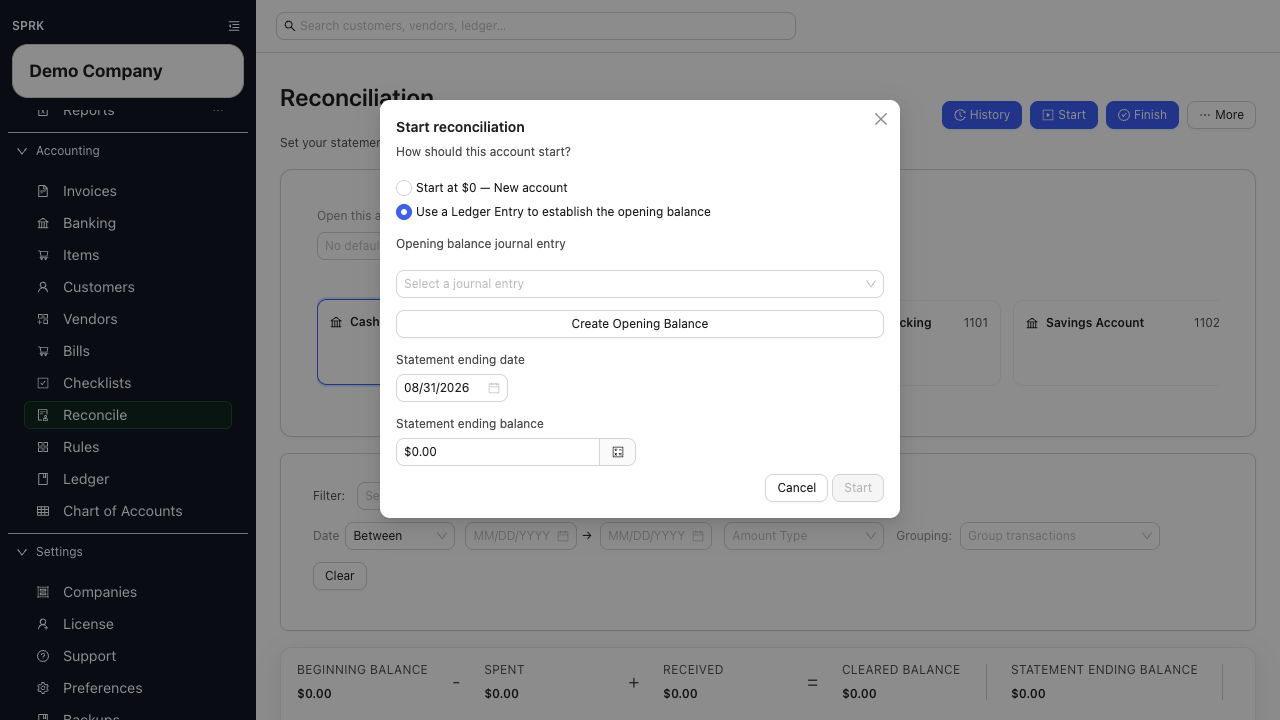
Start reconciliationwindow:- If SPRK finds a prior reconciliation for that account, the
Statement opening dateandStatement opening balancefields are locked from the last posted reconciliation before the selected statement ending date. - If SPRK does not find a prior reconciliation, choose
Start at $0 — New accountorUse a Ledger Entry to establish the opening balanceunderHow should this account start?.
- If SPRK finds a prior reconciliation for that account, the
- For
Start at $0 — New account, enterAccount opened on;Starting balancestays at $0. For the ledger-entry method, chooseOpening balance journal entryor useCreate Opening Balanceto make the balanced entry first. - If this is not the first reconciliation, enter or confirm the
Statement ending date.- Use the calendar control or type the date directly in the order set by your
Preferencesdate format.
- Use the calendar control or type the date directly in the order set by your
- If this is not the first reconciliation, enter the
Statement ending balance:- Use a positive number for bank accounts.
- Use a negative number for credit accounts.
- Select the modal action to continue:
Startbegins a normal reconciliation session when a prior reconciliation exists.- The first-time action establishes the chosen opening anchor and continues the reconciliation workflow.
How SPRK Determines The Beginning Balance
SPRK uses reconciliation history to set the beginning balance for a normal reconciliation. It does not recalculate the beginning balance from every general-ledger line each time you open the reconciliation page.
- For the first reconciliation, the source is either a nonposting $0 opening anchor or the selected
Opening balance journal entry. - For later reconciliations, the source is the last posted reconciliation for the same account before the selected statement ending date.
- The
Statement opening dateandStatement opening balanceare locked from that prior posted reconciliation record. They are carried forward as reconciliation history, not edited directly in the start window. - Selecting an existing opening-balance journal entry for the first anchor does not post it a second time.
- If a journal entry that affects an earlier period is later edited or reversed, financial reports can change according to that ledger correction, while posted reconciliation history continues to show the values recorded for that statement period.
- Use Resolve common reconciliation exceptions when the opening balance looks wrong.
What happens next
The reconciliation workflow is initialized with statement dates and balances for the selected account.
- The page loads confirmed transactions for the selected account and preselects those that fall inside the statement window.
- Eligible unreconciled confirmed rows can still appear for manual selection even when their transaction date is after the statement ending date. Use statement evidence to decide whether a later-dated row belongs on the current statement.
- Both first-reconciliation choices establish reconciliation history for later periods.
If something looks wrong
| What You See | What To Check | What To Do Next |
|---|---|---|
| The first opening balance is wrong | Whether you chose $0 or the correct Opening balance journal entry |
Return to the start choices before establishing the first reconciliation |
| Later-dated rows still appear | Whether they are confirmed, unreconciled activity for the account | Select only the rows supported by the current statement |
Practice and examples
Use the practice file and screenshots to review selected statement rows, a zero difference, and posting the reconciliation.
- Practice file: reconciliation-statement-items.csv
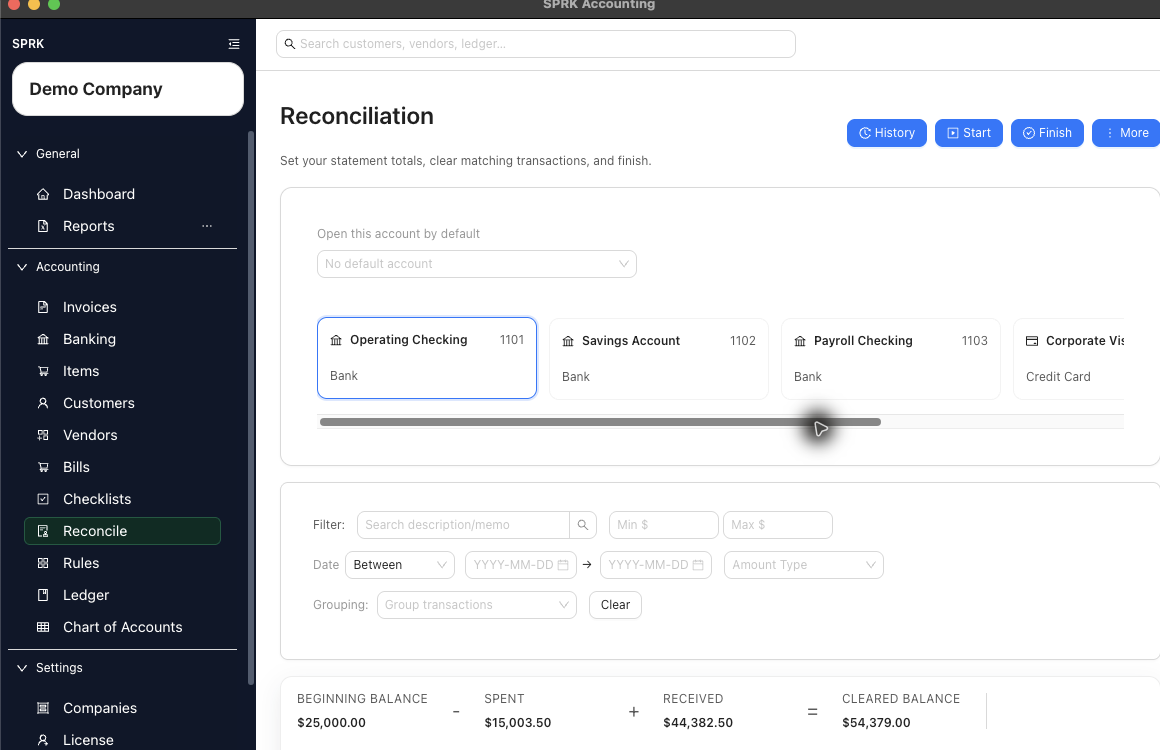
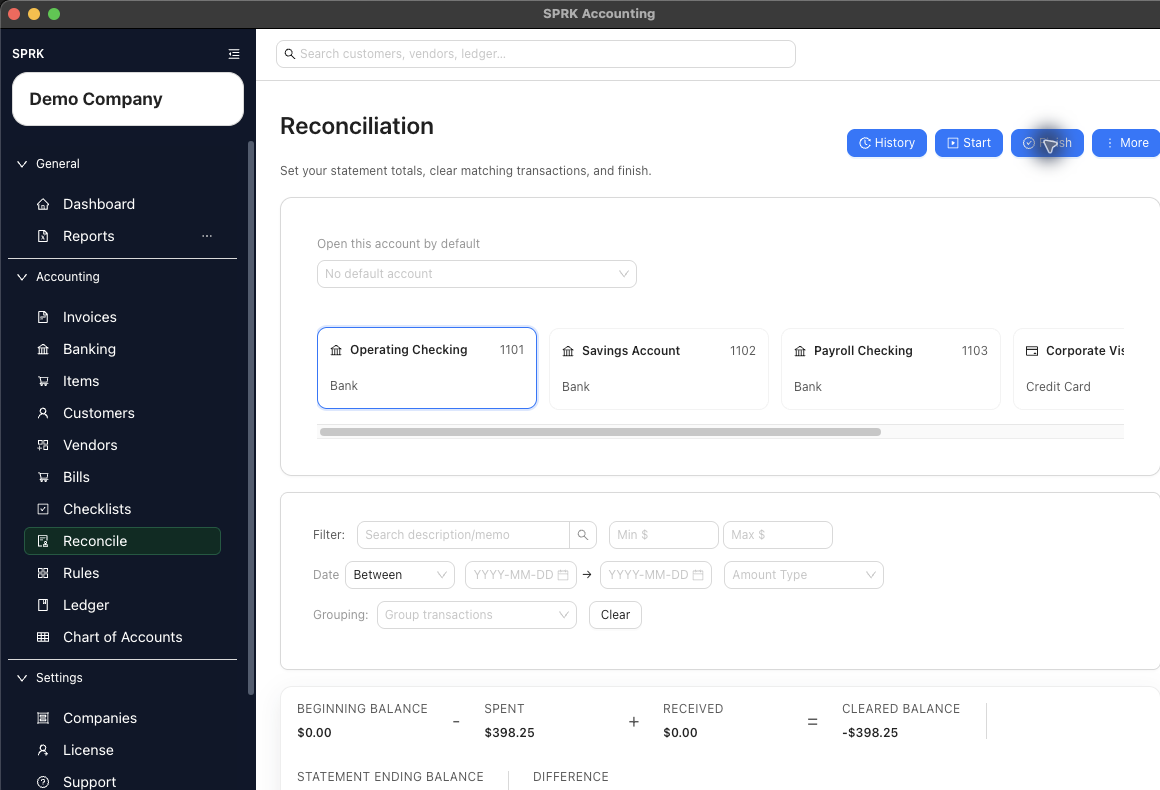
Selected statement rows can tie to the entered ending balance. Posting the reconciliation creates history for later report review.