
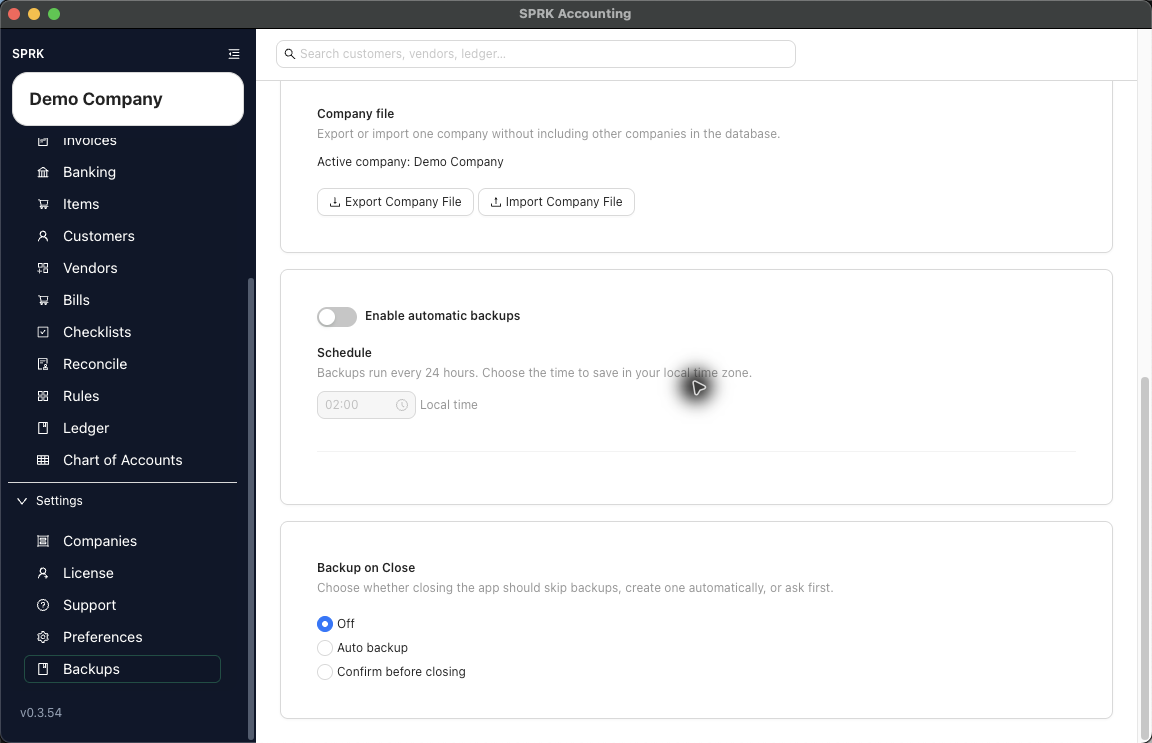
Use Company file actions when you need to move or preserve one company without including every other company in the local SPRK database.
When to use this
Use this guide when a firm needs a company-level transfer, support needs a complete company package for review, or you want a company-specific transfer path that is separate from routine device backups.
Before you start
- You are signed in to SPRK.
- The active company in the sidebar is the company you intend to export or import around.
- You understand whether you are only exporting a file or preparing to replace/import company data.
Steps
- Confirm the active company in the sidebar.
- Open
Backupsfrom theSettingssection. - Review routine backup controls separately from the
Company filecard. - In
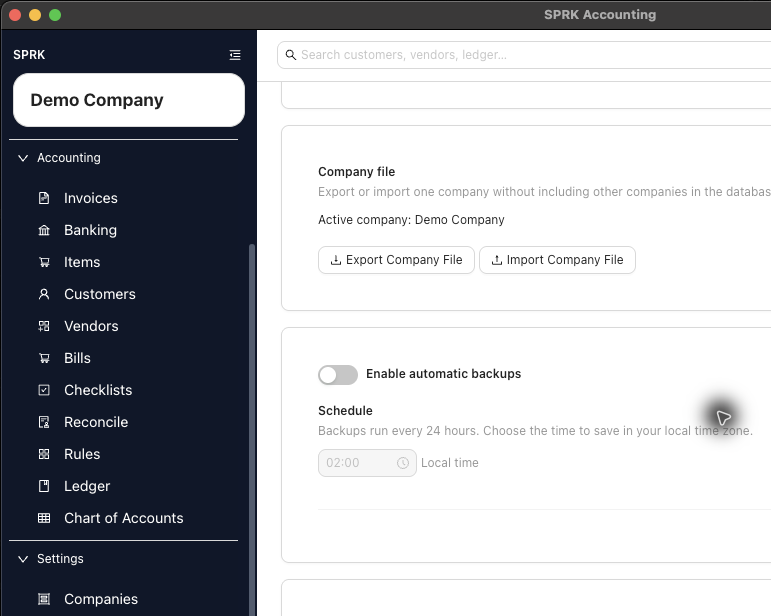
Company file, confirm the active company name shown by SPRK. - Use
Export Company Filewhen you need a non-destructive company-level file for transfer or safekeeping. - Use
Import Company Fileonly when you are ready to review a company-file import path. - If SPRK shows an import preview, read the company identity, validation messages, and any replace warning before continuing.
- Do not confirm a replace/import step unless you are working in the intended company and have a current backup or exported company file.
What happens next
You can distinguish a company-level transfer from device backup settings.
- Exporting a Company File creates a package for the active company.
- Importing or replacing from a Company File can change which company data is available after the workflow completes, so review the target company and replace warning carefully.
- Routine backups still protect the local database for all companies; a company file is narrower and intentionally company-scoped.
Practice and examples
Use these files to practice the company-scoped export/import path in a disposable or training company. Review the import preview and replacement warning before choosing Replace company.
- Practice files:
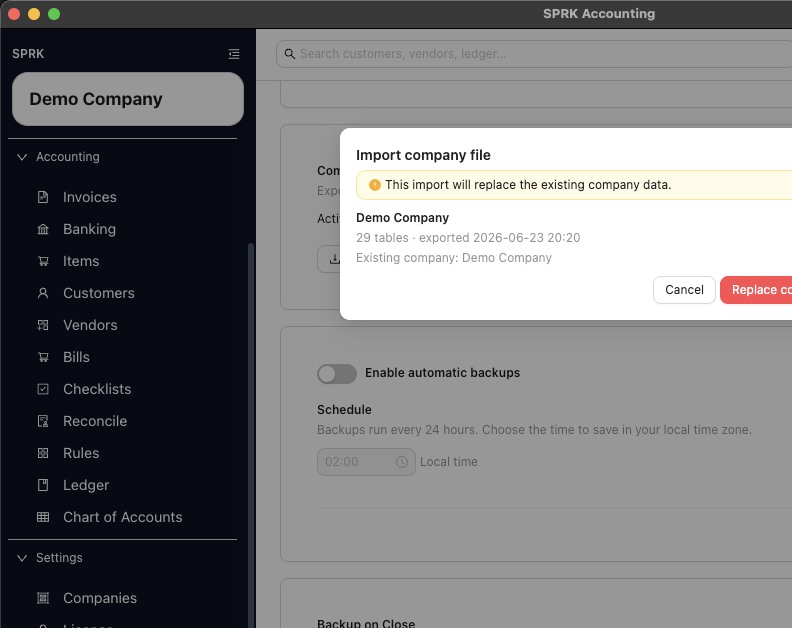
The preview shows the table count, export timestamp, and replacement warning so you can stop before replacing company data.