
Create balanced manual journal entries in the Ledger page, optionally create linked bank-register rows when that drawer option is available, schedule an automatic reversing entry, save reusable templates when needed, and understand how posting affects the general ledger.
When to use this
Use this guide when you need to record a manual accountant adjustment directly in the ledger instead of using invoices, bills, checks, payments, or banking.
Before you start
- An active company is selected.
- The accounts you need already exist in
Chart of Accounts. - The accounts are available for manual journal entry. Company-level
Control accountsand account-levelControl accountflags can remove source-workflow accounts from new manual journal choices, andNonposting accountsummary accounts are not meant for direct posting. - You know the posting date, memo, and debit and credit lines you want to record.
Common Accountant Scenarios
Use manual journal entries for work such as:
- month-end accruals and reversals
- expense reclasses that do not belong to a source transaction
- owner contributions, draws, or equity adjustments
- depreciation, amortization, allocations, or accountant-only adjustments
- correcting or reversing a prior manual journal entry
Use a source workflow instead when the activity belongs to a customer invoice, customer payment, vendor bill, check, bank transaction, or payment workflow.
Steps
- Open
Ledger. - Select
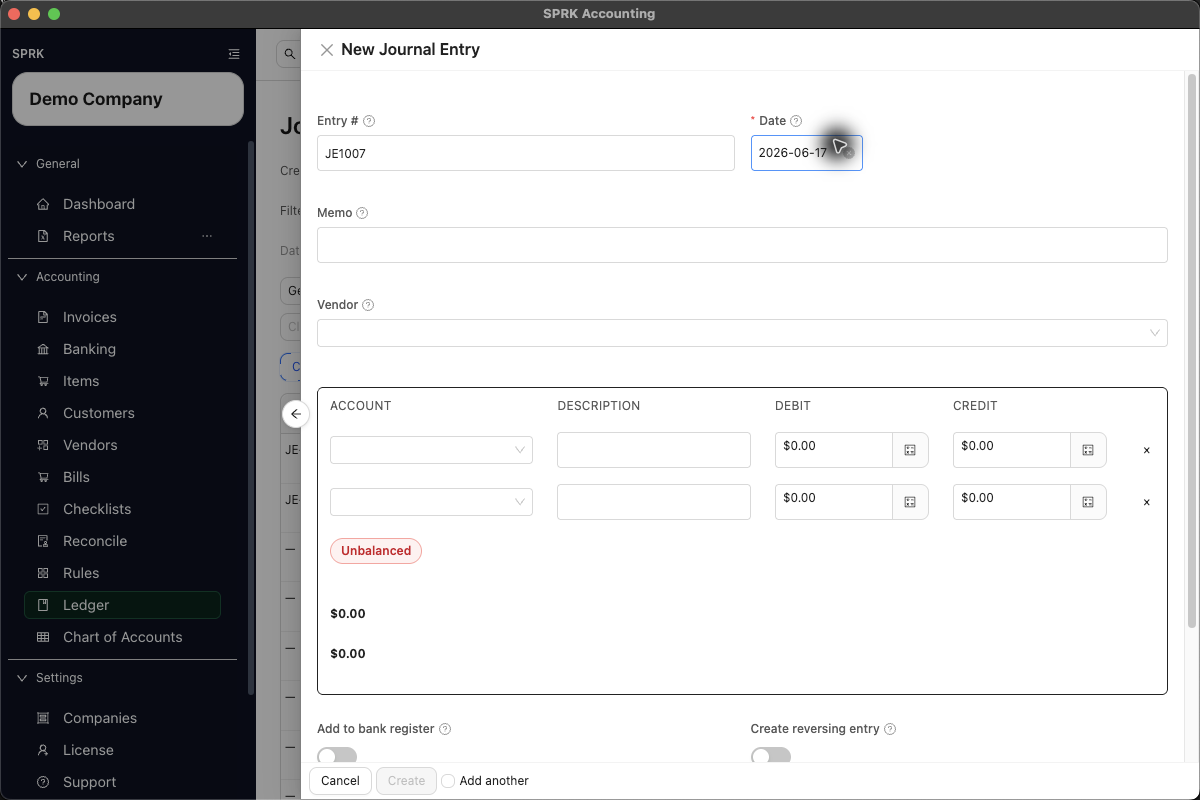
New, or use theCreate from Templatemenu if you already have a saved journal-entry template. - Enter the journal header details, including the date and memo.
- If the entry should reverse automatically after posting, turn on
Create reversing entryand reviewReversal date:- SPRK currently pre-fills the next day by default when you start a new manual journal entry.
- Use a reversal date on or after the journal date.
- Leave the switch off when you only want the original entry.
- If the journal touches bank, cash, or credit-card accounts and you want it to appear in the bank register immediately, turn on the bank-register option when the drawer exposes it.
- The option is off by default.
- When enabled, SPRK creates linked confirmed bank-register rows for eligible bank, cash, or credit-card lines instead of waiting for a separate bank import or manual bank entry.
- After posting, use the journal preview’s linked-register review or
Resolvecontrols if a bank-register row needs to be inspected, restored, or excluded.
- Add each journal line with the correct account and amount.
- If an expected account is missing from the picker, confirm whether it is a nonposting summary account, an account-level
Control account, or a company-levelControl accountsvalue that should be posted through invoices, bills, banking, or another source workflow.
- If an expected account is missing from the picker, confirm whether it is a nonposting summary account, an account-level
- If your company uses dimensions or classes, use
Set dimensionson the related lines and choose the correct value for each enabled dimension. - Confirm the entry is balanced before saving:
- every line must use either debit or credit, not both
- totals must match before the save action is allowed
- Select
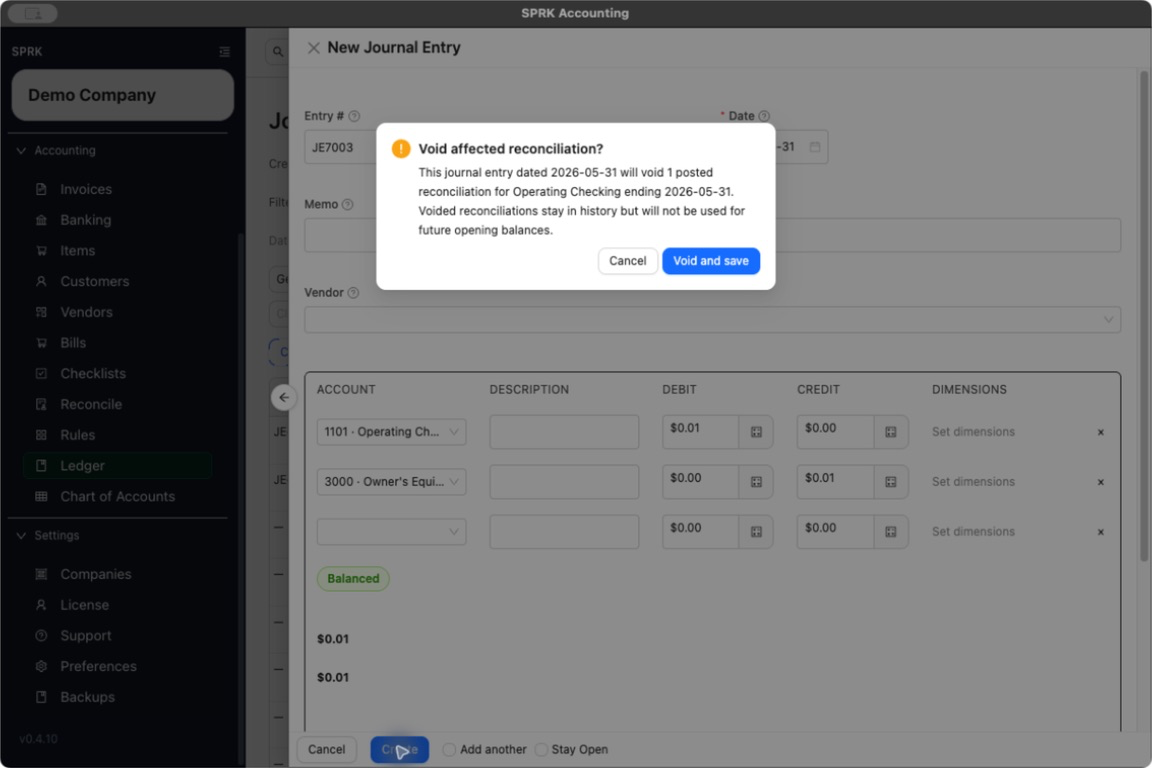
Createto post the entry.- If the journal date is on or before an affected posted reconciliation for a Bank, Cash, or Credit Card account, SPRK shows
Void affected reconciliation?before the save completes. - Review the account, journal date, affected statement-ending date, and number of posted reconciliations in the message.
- Select
Cancelto return to the journal without saving, orVoid and saveonly when the correction is intended to invalidate that posted reconciliation history.
- If the journal date is on or before an affected posted reconciliation for a Bank, Cash, or Credit Card account, SPRK shows
- If you expect to reuse the same layout later, use the save-template option from the journal entry drawer.
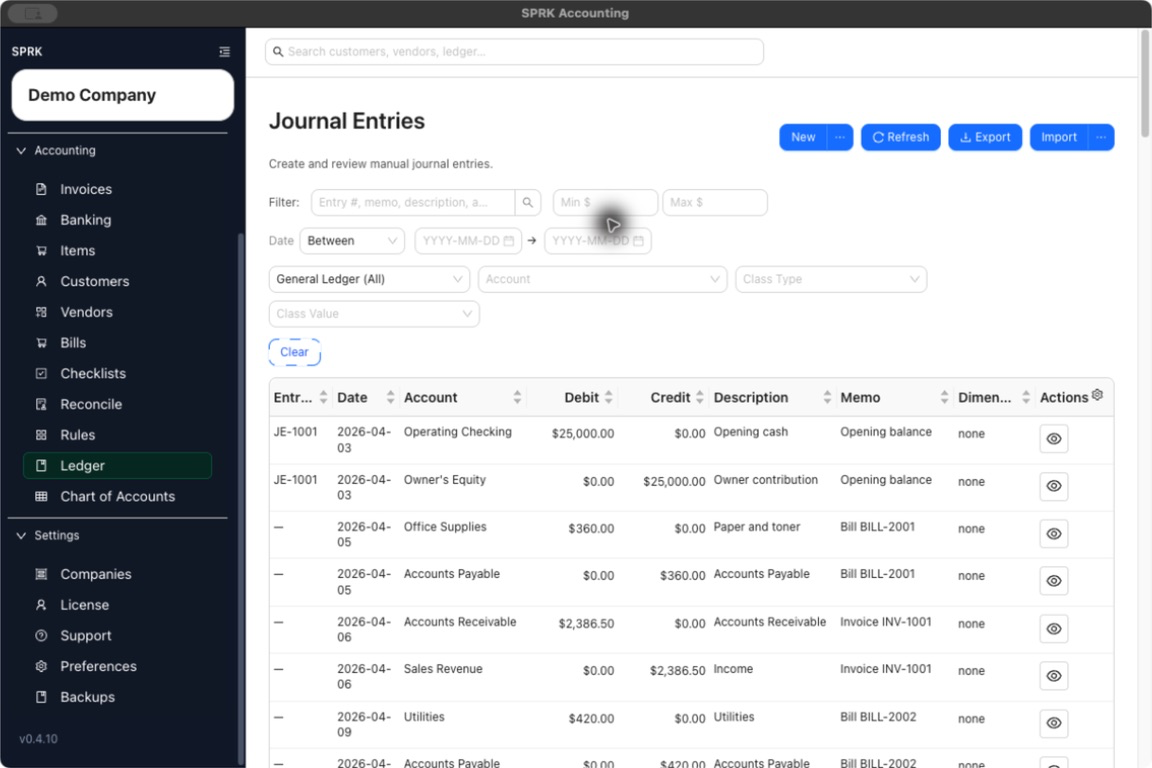
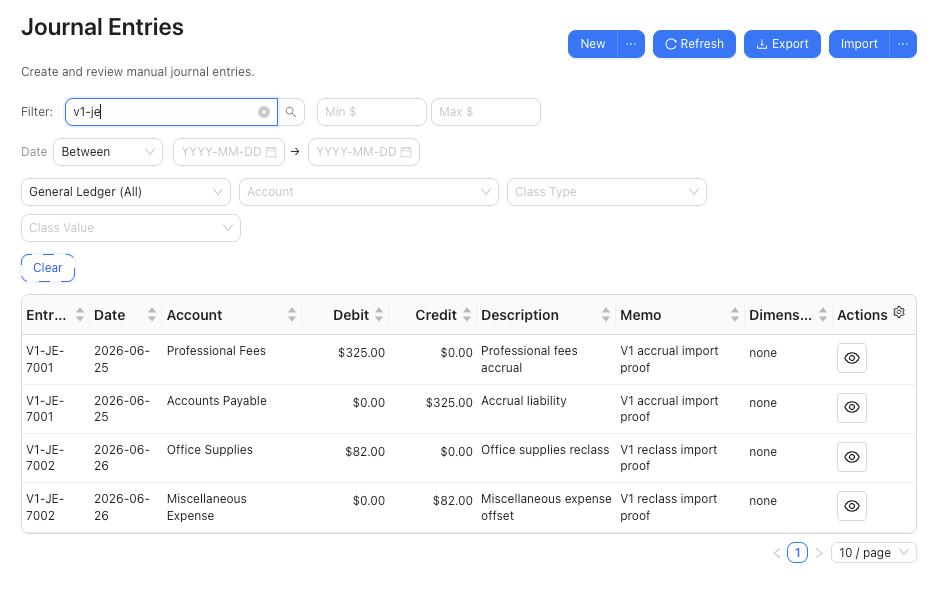
- Review the new entry in the ledger table and use search or filters to find it again later.
- The filter bar searches across the full result set for entry numbers, memos, descriptions, accounts, and vendors; it is not limited to the rows currently visible on the page.
- Combine text search with amount, date, ledger, account, or class filters when you need a narrower result.
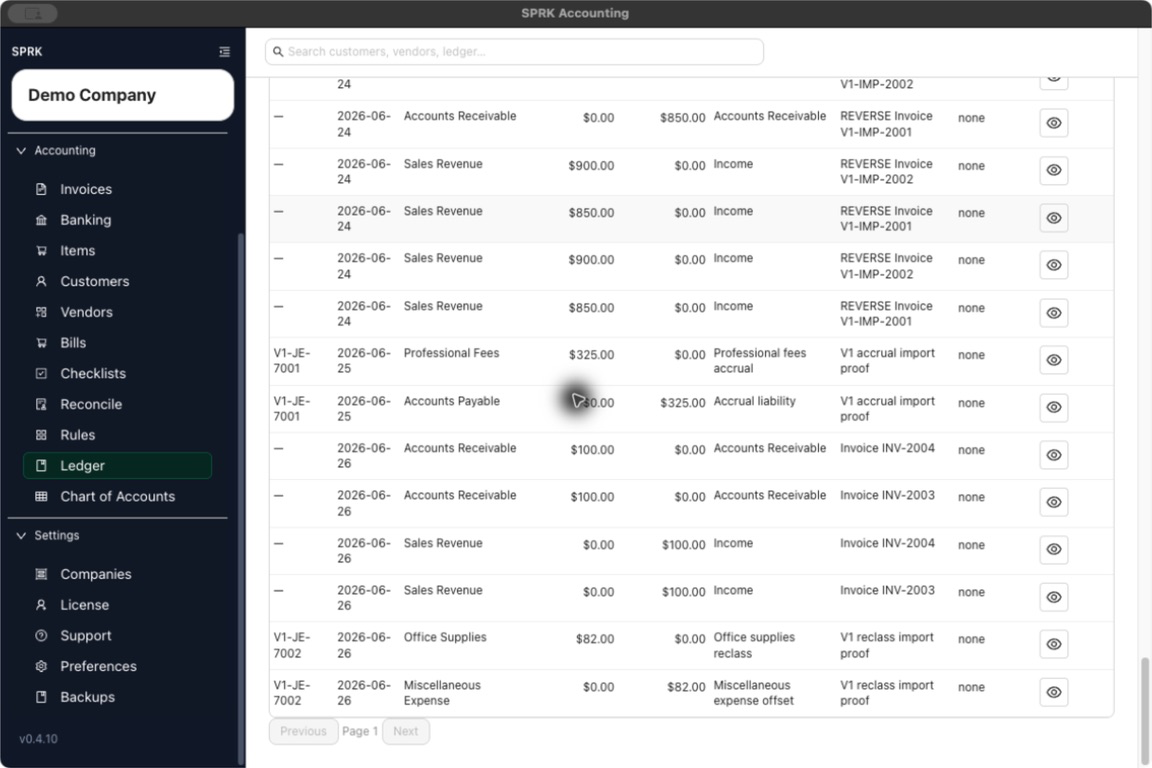
- Use
PreviousandNextat the bottom of the table to move between result pages when more than one page is available. The controls are disabled when the filtered result fits on one page.
What happens next
A balanced journal entry is posted to the ledger and appears in the journal-entry list.
- Saving a manual journal entry creates a new journal entry record and posts each entered debit and credit line to the general ledger.
- The bank-register option, when available and enabled, creates linked confirmed register rows for eligible Bank, Cash, and Credit Card journal lines. The journal entry remains the posting source.
- Eligible bank-side lines are linked individually, so one manual journal can create more than one confirmed bank-register row. Identical amounts on the same account are still separate linked rows.
- Linked bank-register rows created from journal lines can be reviewed later from the posted journal.
Resolverepairs linkage or eligible missing register rows; it does not turn the manual journal into a Banking import. - When
Create reversing entryis enabled on a new manual journal, SPRK schedules a linked offsetting journal entry instead of deleting or overwriting the original posting. - SPRK blocks unbalanced entries from being saved.
- SPRK can block new or changed manual journal lines that use configured control accounts. Existing lines that already use a control account can remain as-is during edit review, but users should not newly assign that account from the manual journal drawer once the setting is active.
- Nonposting accounts are parent or summary accounts. They may remain visible in
Chart of Accounts, but they are not the right target for manual journal posting. - If the entry is off by a very small rounding amount within the current tolerance, SPRK can auto-adjust one line and note that adjustment in the memo before saving.
- Choosing
Void and saveposts the journal and keeps each affected reconciliation session inHistorywith statusVoided; SPRK does not use a voided session as the opening-balance source for a later reconciliation. - Rows released by the void no longer carry that reconciliation session’s reconciled, statement, or cleared markers. Review them in the next appropriate reconciliation period.
- Canceling the void confirmation leaves the journal create or edit uncommitted.
If something looks wrong
| What You See | What To Check | What To Do Next |
|---|---|---|
Void affected reconciliation? appears |
The journal touches an affected settlement account on or before posted reconciliation history | Cancel unless the correction should preserve the old session as Voided; use Void and save only after reviewing the statement impact |
| A search result was not visible on the first unfiltered screen | Whether the text filter has been applied to the full result set | Run the search, then use Previous or Next when the result spans multiple pages |
Practice and examples
Use the practice file and screenshots to review balanced journal-entry import before relying on imported entries for close work.
- Practice file: journal-entry-import.csv
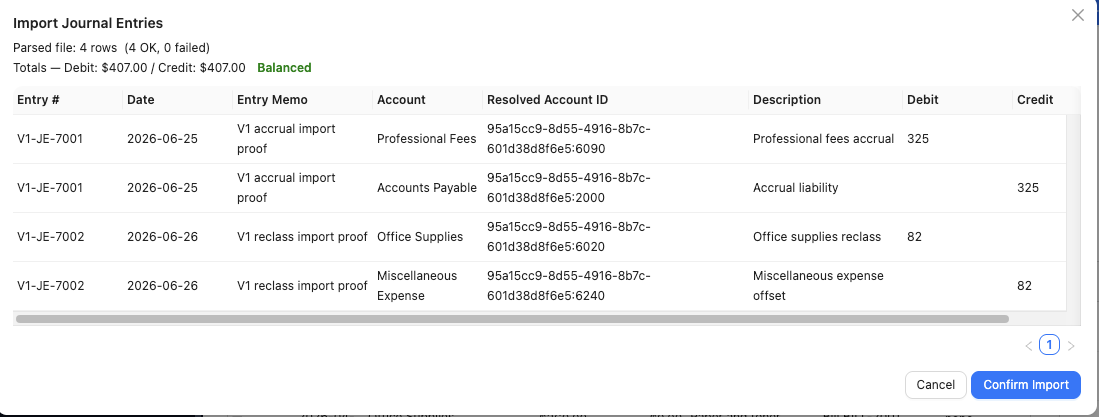
The import preview shows parsed rows, failures, and debit and credit totals before confirmation.