
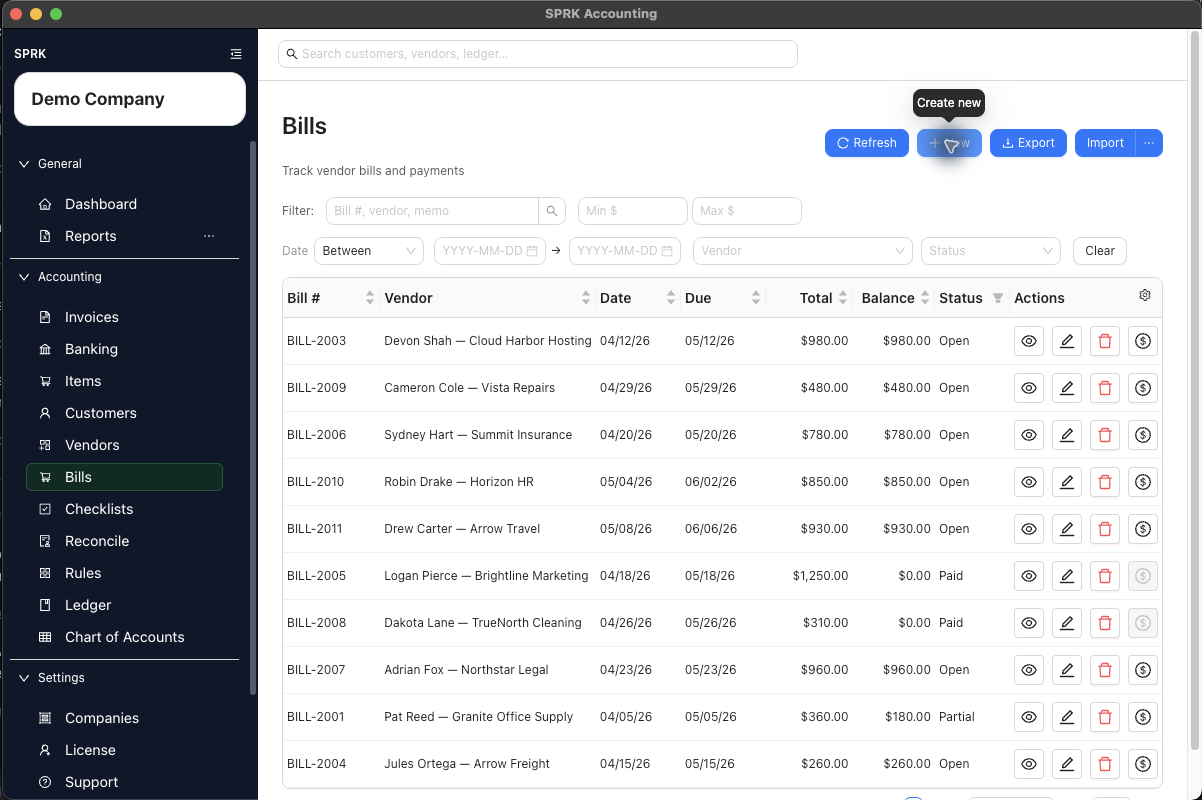
This address is kept for existing bookmarks. Use Choose a bill task for bill entry, payment, import, matching, or correction, or Review bills and vendor balances for period-end review.
Start here
Choose the task below if you need a more specific guide.
Choose a payables task
| Goal | Use | Check First |
|---|---|---|
| Add or maintain the payee | Manage vendors | Vendor name, active status, address, and default expense account |
| Set reusable vendor account defaults | Set up vendor default expense accounts | Whether the default account fits future purchases |
| Enter a vendor bill | Create bills | Vendor, Pay from, line accounts, due date, and status |
| Record a payment on an open bill | Record bill payments | Bill balance, payment amount, Pay from, and bank-match risk |
| Import grouped bill rows | Import bills | Vendor names, bill numbers, line accounts, and Pay from routing |
| Match a bank withdrawal to a bill | Match bank transactions | Pending bank row, open bill, vendor, amount, date, and difference |
| Review or correct a posted bill | Void or correct bills | Bill status, balance, active payments, linked journals, and reversal date |
| Maintain check tracking | Work with checks | Whether the check page is visible and whether the check belongs to reconciliation work |
Before You Commit
- Choose an Accounts Payable control account in
Pay fromwhen the bill should stay open until payment. - Choose a cash, bank, or credit-card settlement account only for a paid-now bill.
- Review line-level bill accounts before opening or importing bills.
- Use bill payment workflows to reduce open vendor balances.
- Review payment history and linked journals before voiding or correcting a bill.
What Not To Assume
- Vendor setup, bill entry, bill payment, check tracking, and banking match workflows do not create the same accounting result.
- A vendor default expense account does not remove the need to review bill lines.
- Linked journal review is not deletion or unposting.
- Voiding a bill preserves the bill and creates reversal history.
- Not every payable record supports the same correction action; use the action SPRK shows for that record.
Practice and examples
- Practice file: bill-void-correction-boundary.csv