
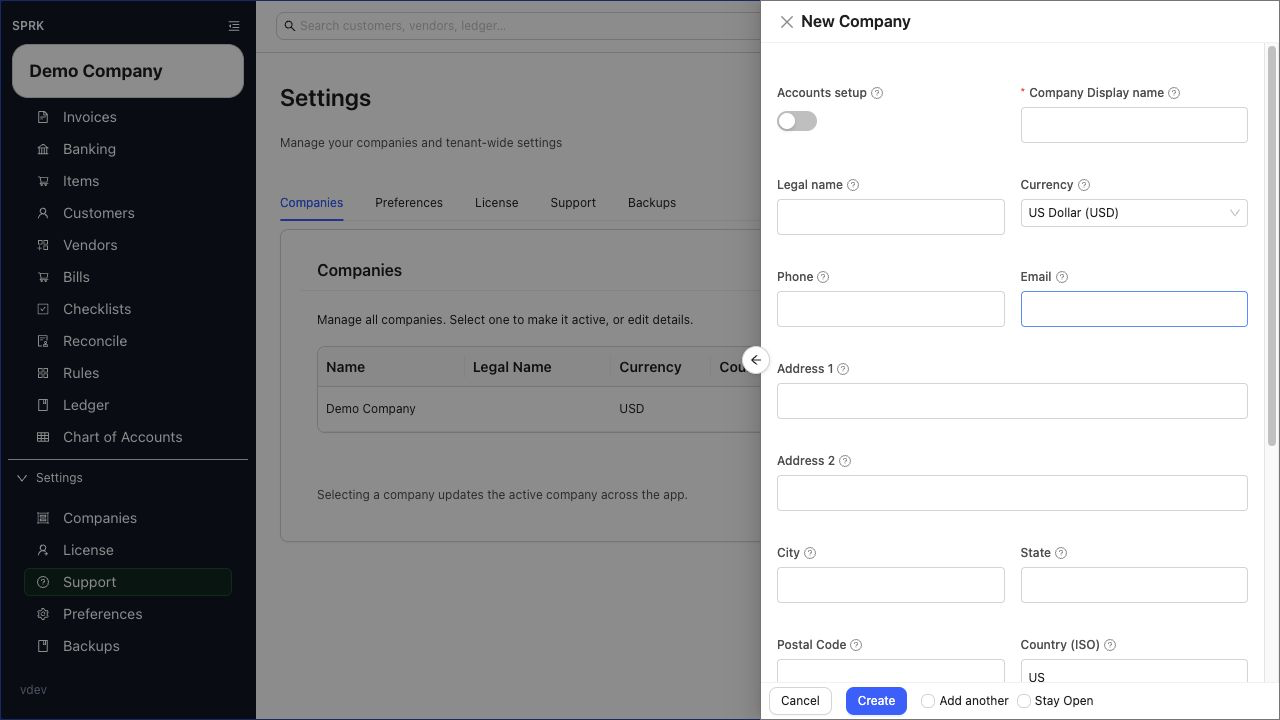
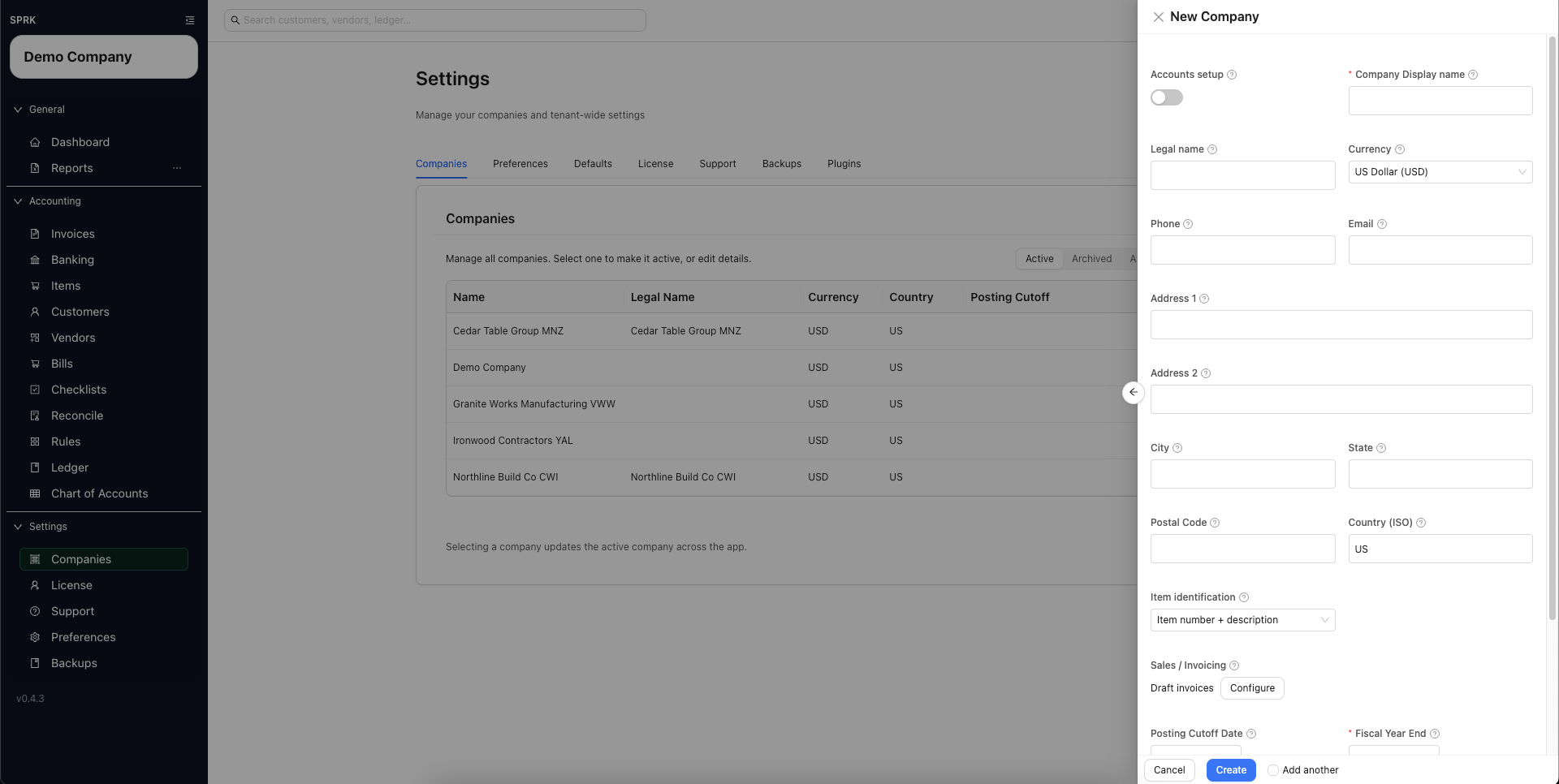
Create a company from the Companies tab and set the core accounting options that SPRK uses for day-to-day work.
When to use this
Use this guide when you want to start a new company in SPRK without importing it from another accounting system.
Before you start
- You can open
Companiesfrom the left sidebar. - You have permission to create a company in your current workspace.
- You know the company display name you want to use.
- You know whether you want SPRK to start with default accounts or a blank chart.
Steps
- Open
Companiesfrom the left sidebar. - Select
New Company. - In the
New Companydrawer, complete the core fields:Company Display nameis required.Legal nameis optional if it is different from the display name.Currencysets the default reporting currency.Country (ISO)is the two-letter country code shown in the form, such asUS.
Accounts setupstarts turned off, which creates a blank chart. Turn it on if you want SPRK to seed default accounts.- Select
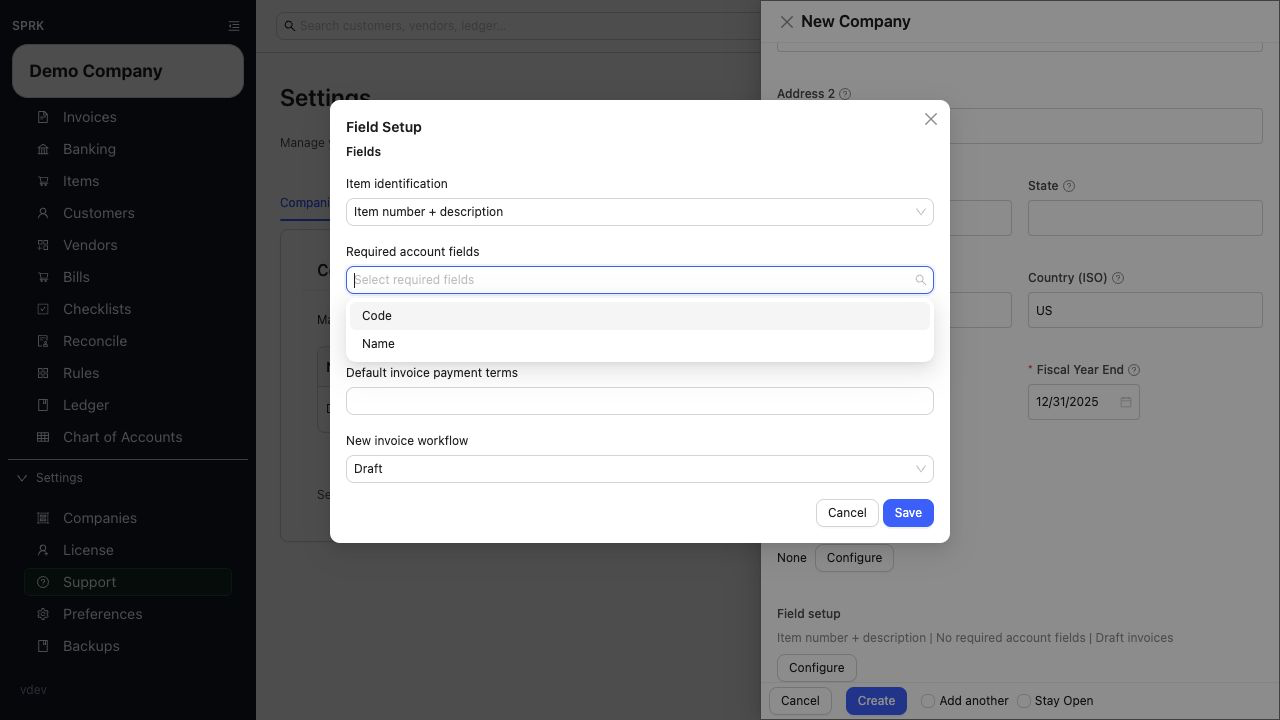
ConfigurebesideField setup, then review:Required account fieldsItem identificationDefault invoice payment termsNew invoice workflow
- Review the other accounting settings that matter for your company:
Posting Cutoff DateFiscal Year EndDimensions
- Review
Accounting edit permissionsbefore creating the company.- Workspace or tenant defaults can prefill accounting edit policies when those defaults exist.
- Explicit choices you make in the company drawer override those defaults for the new company.
- If the form exposes
Control accounts, use it for accounts that should be posted through their source workflow instead of new manual journals. - Tenant defaults are managed from
Defaults; saving a different value in the new-company drawer controls the new company.
- Use
Required account fieldsto decide whether account codes are required in visible account setup.- Choosing
Nameonly can make account-code columns and code-first labels disappear from theChart of Accounts, bank-account choosers, reconcile account selectors, and account dropdowns that otherwise showcode · name. - When
Nameonly is active, account pickers sort and label by account name instead of code-first display strings.
- Choosing
- For date fields such as
Posting Cutoff DateandFiscal Year End, you can use the visible calendar control or type a date directly. Typed dates should follow your savedPreferencesdate order. - Under
Item identification, choose how supported item labels should appear:Item number + descriptionshows item numbers beside descriptions where supported.Description onlyhides item numbers in supported item and invoice workflows without deleting the saved item numbers.
- Select
Create. - Confirm that
Company createdappears and the new company becomes active. - If the company will use invoices or bills, reopen it from
Companiesand selectEdit. UnderField setup, selectConfigureand setDefault Accounts ReceivableandDefault Accounts Payable. These account defaults are available after creation, not in the new-company form. - Review printed-invoice details such as company contact fields and
Payment Instructionsafter the company exists.
What happens next
The new company is added to the Companies table and becomes available as the active company across the app.
If something looks wrong
| What You See | What To Check | What To Do Next |
|---|---|---|
| A required value or review step is missing | Leaving Company Display name blank |
The create action is not meant to succeed without it |
| No default receivable or payable fields appear during creation | Whether the company has been created yet | Create the company, reopen Edit, then use Field setup > Configure |
| New invoices use the wrong terms or starting status | Default invoice payment terms and New invoice workflow in Field setup |
Edit those defaults before creating the next invoice |