
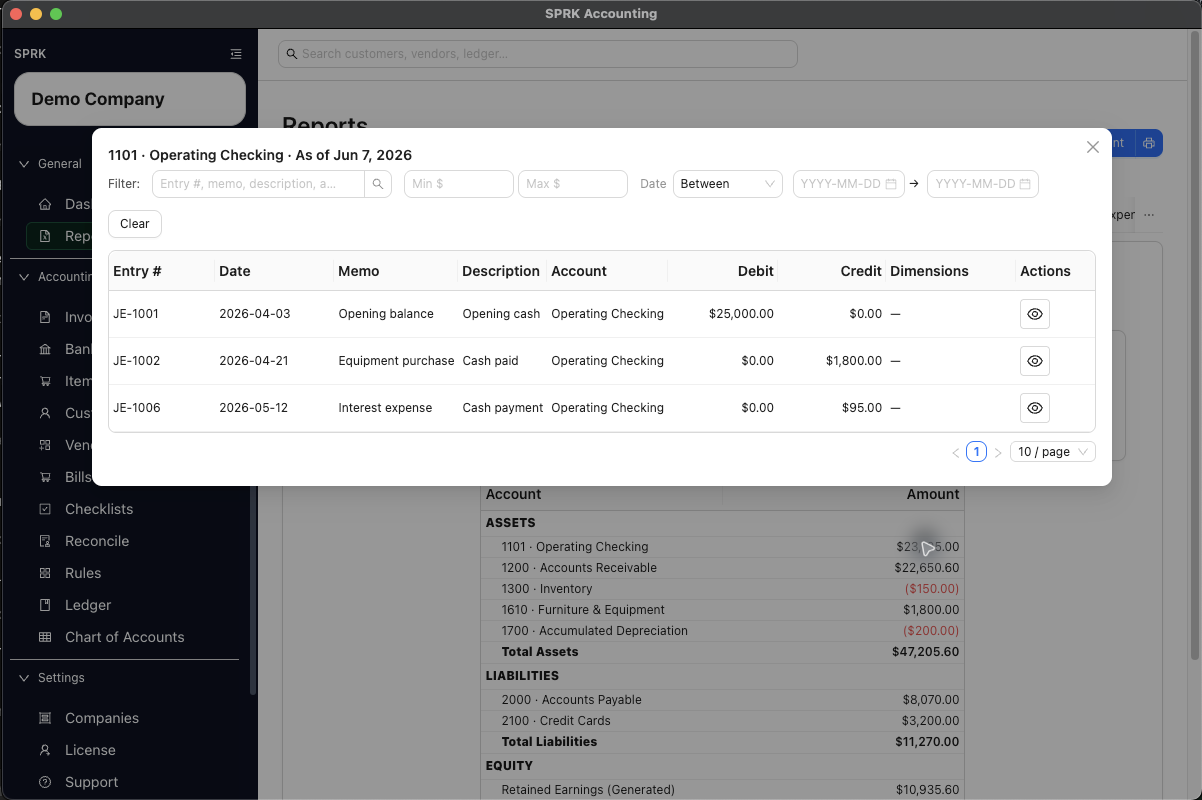
Open a supported report amount and review the journal entries behind it.
When to use this
Use this guide when you want to move from a report summary card, subtotal, total, or account row into the supporting journal-entry detail behind that amount.
Before you start
- You are on the
Reportspage. - The report you are using has been run for the date or period you want to inspect.
- The row you want to inspect has a non-zero amount and supports drilldown.
Steps
- Open
Reports. - Run a statement report such as
Income StatementorBalance Sheet. - Review the report summary cards, subtotals, totals, and account rows to locate the amount you want to inspect.
- Select the clickable amount on a supported card or row.
- Review the drilldown window that opens:
- The window title uses the account label and the report date context, such as
4000 · Sales Revenue · Jan 1, 2026 – Jun 4, 2026for a range-based report. - Some drilldowns represent a scoped group of accounts such as
Income,Expense,Net Income,Assets,Liabilities,Equity, orNet change in cash. - Range-based reports open detail for the report date range.
- As-of reports open detail through the selected as-of date.
- Open-ended drilldown contexts can use date filters such as
BeforeorAfterinstead of a two-date range. - Dimension or filter context from the report can carry into the supporting detail when the report exposes that filter.
- The window title uses the account label and the report date context, such as
- Review the supporting journal entries in the drilldown table.
- Open a journal preview from a drilldown row when you need to inspect the full entry.
- Some report-launched journal previews expose
Editwhen the journal edit policy allows it. - A report-launched edit follows the same settlement-account safeguards as an edit started from
Ledger. If the date and affected account reach posted reconciliation history, SPRK can requireVoid affected reconciliation?before saving. - Other previews remain view-only because of posting-window policy or other audit restrictions.
- Some report-launched journal previews expose
- If the supporting detail opens in the shared register modal, use
ExportorPrintwhen you need the exact filtered register rows outside SPRK.- Export and print use the current modal rows and visible columns.
Printopens a print-friendly table; use the system print dialog if you want a PDF.
- On transaction-detail report tables such as
General LedgerorAccount Detail, use the visible column controls when you need a narrower or reordered review table before output.- Confirm the exported or printed file after changing visible columns.
- Use the drilldown filters if you need to narrow the supporting rows further:
- Text filter for entry number, memo, description, or account.
- Minimum and maximum amount filters.
- Date modes
On,Before,After, orBetween.
- Close the drilldown window when you are done and return to the report.
What happens next
SPRK opens a supporting-entry view for the selected account or account group and date context so you can trace report amounts back to posted activity.
- Drilldown only exposes journal entries that are already posted in the ledger for that company and date context.
- Report drilldown can open an edit path only when normal journal edit policy allows it; it does not bypass posting-window or audit controls.
- Canceling a reconciliation-void confirmation leaves the report-launched journal edit uncommitted.
Void and saveshould be used only after reviewing the named account and affected statement-ending date. - Register-level
ExportandPrintare output actions for the open detail view only. - Column controls tailor supported transaction-detail tables for review. They do not edit the underlying journal entries.
- Closing the drilldown window leaves the underlying report and ledger unchanged.
Practice and examples
Use the practice file and screenshots to review how report rows open supporting journal-entry detail.
- Practice file: report-drilldown-transaction-export.csv
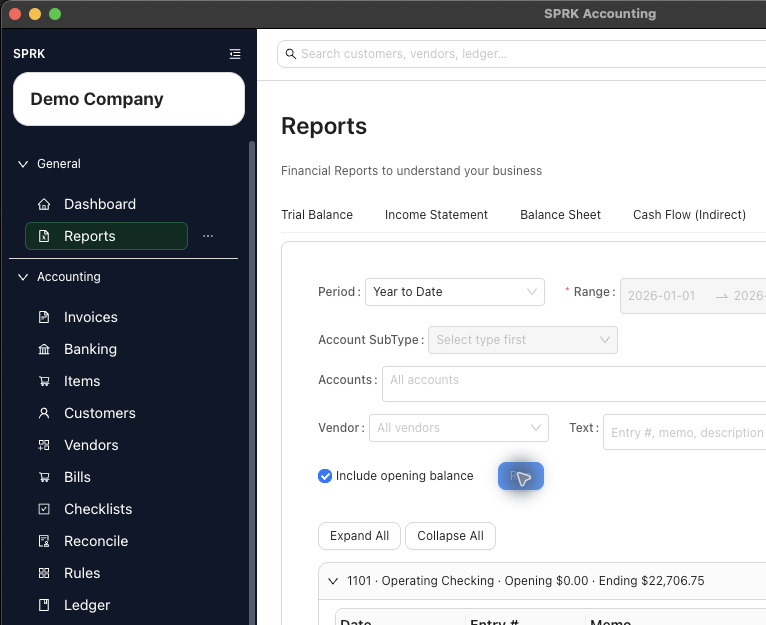
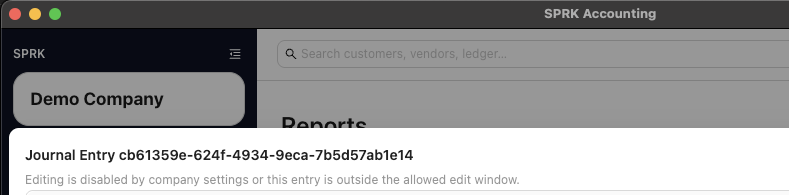
Report drilldown is a review path, and the journal preview keeps the underlying entry separate from the report itself.