
Edit company details, archive or unarchive companies, and understand when permanent delete is available.
When to use this
Use this guide when you need to maintain company settings after a company already exists.
Before you start
- You can open
Companiesfrom theSystemsection. - The company you want to maintain is visible in the list.
Steps
- Open
Companies. - Find the company you want to maintain.
- Use
Editto update company-level details such as display name, legal name, phone, email, address, currency, country, posting cutoff date, fiscal year end, required account fields, dimensions, accounting edit permissions, default A/R and A/P accounts, invoice settings, or item presentation settings.- Workspace or tenant accounting edit-policy defaults can prefill new company setup when those defaults exist, but explicit values saved on the company control that company.
- If
Required account fieldsis set toName, supported account lists and pickers can hide account codes and sort by account name. - If
Control accountsis exposed, selected accounts should be posted through their source workflow; SPRK can hide or block those accounts in new manual journal-entry account choices.
- Review invoice-facing company settings when your team prints customer invoices:
Invoice defaultsstoresDefault invoice payment termsandNew invoice workflow.- Company phone, email, address, city, state, postal code, country, and
Payment Instructionscan feed the customer-standard printed invoice layout.
- Review
Item identificationwhen users report that item numbers are visible or hidden in item and invoice workflows:Item number + descriptionkeeps item numbers visible beside descriptions where supported.Description onlyhides item numbers from supported selectors and line helpers without deleting them from item records.
- Open
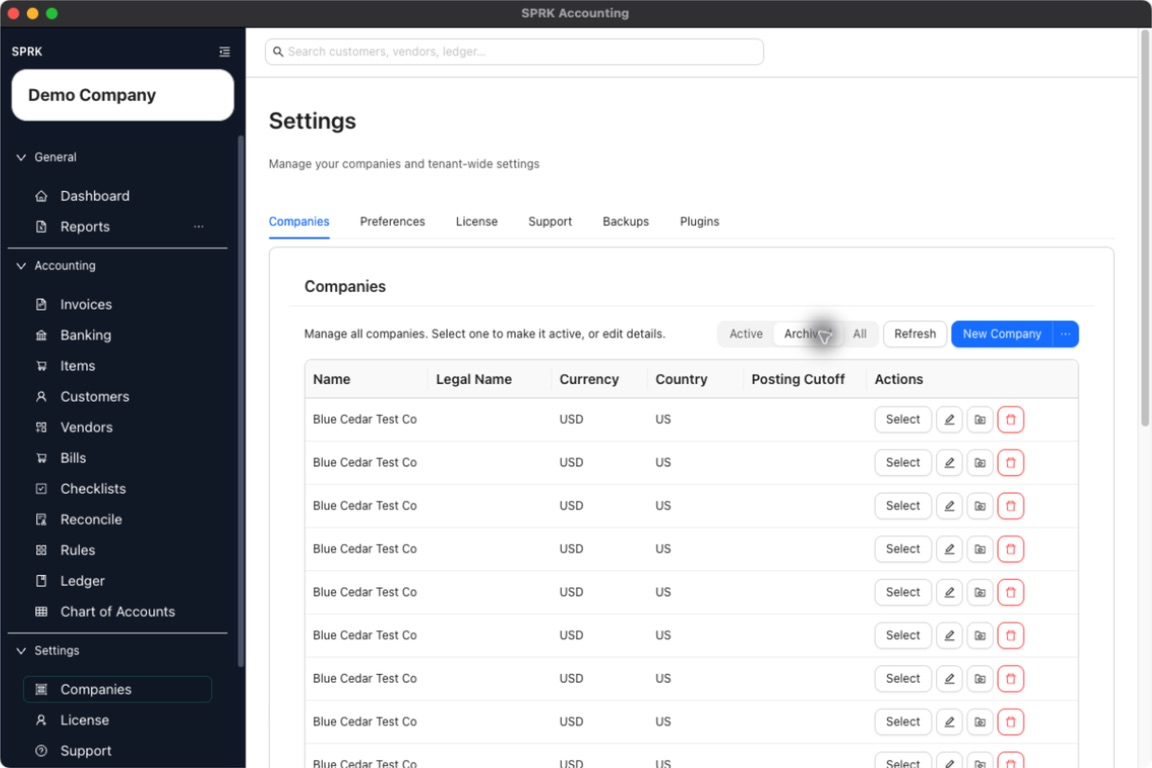
Defaultsfrom the left sidebar when you want to store tenant-level defaults for future companies or bulk-apply required-account-field and edit-policy defaults to selected active companies. - Use the archive action to move a company out of the active list when you no longer want it used day to day.
- If needed, switch to the
ArchivedorAllfilter to review archived companies. - Unarchive a company if it needs to become active again.
- Permanently delete a company only after it has been archived first.
- If SPRK warns that the company has journal entries, keep it archived instead of expecting permanent delete to succeed.
What happens next
You can maintain company settings and lifecycle state without guessing which actions are reversible.
- A posting cutoff date can restrict which dates are allowed for future posted entries, but changing the cutoff does not repost prior activity automatically.
- Changing
Required account fieldsaffects account setup and visible account presentation. It does not delete existing account codes or change posted balances. - Changing
Control accountschanges future manual-journal availability for selected accounts. It does not delete accounts or rewrite existing posted lines. - Changing
Invoice defaultscan affect new invoice starting terms, due dates, and workflow status. It does not rewrite already posted invoices. - Changing company contact fields or
Payment Instructionscan affect future printed customer invoices. - Changing
Item identificationaffects visible item labels in supported workflows. It does not delete item numbers, item accounts, or posted invoice lines. Defaultsbulk apply changes required account fields and accounting edit permissions on selected active companies while preserving unrelated company accounting settings.- Archiving or unarchiving a company changes its availability in the company list and selector.
- Permanent deletion is limited to archived companies, and companies with journal-entry activity are blocked from deletion.