
Prepare a clear support request by capturing the current session log, workflow, visible result, and affected records before reaching out.
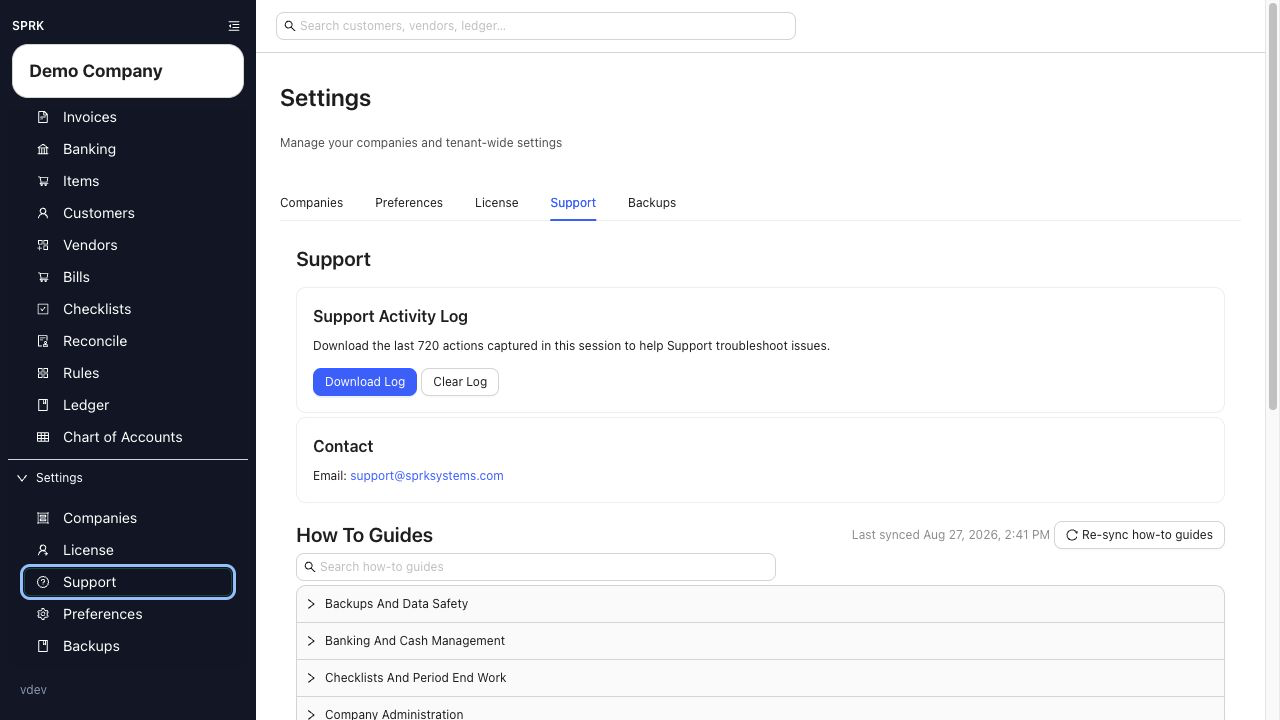
When to use this
- You need help with a visible SPRK result.
- You want to avoid a support back-and-forth for missing context.
- You need to preserve details before making manual cleanup changes.
Do this first
- Reproduce the issue once if it is safe to do so, so the current session log includes the relevant actions.
- Note the active company, page, and workflow you were using when the problem happened.
- Write down what you expected to happen and what happened instead.
- Open
Support. - In
Support Activity Log, selectDownload Log. - Keep the downloaded text file ready to attach or quote when you contact support.
- Email support@sprksystems.com and include the details below.
Details to capture
- Company name.
- Page or workflow.
- What you expected to happen.
- What happened instead.
- Whether the issue blocks work completely or only slows it down.
- Record numbers, account, customer, vendor, document number, date range, statement period, or import file name as applicable.
- Any recent import, reversal, void, payment, or edit action.
- Visible error or warning text.
- Screenshot if it does not expose sensitive client data.
- Support Activity Log.
What to avoid
- Do not clear the support log before downloading the session details you need.
- Do not make manual cleanup entries before capturing the original mismatch.
- Do not contact support with only “it failed” when the page, company, and workflow are available.
- Do not treat support activity as an accounting workflow; support actions are informational and operational only.
If something looks wrong
| What You See | What To Check | What To Do Next |
|---|---|---|
| Support context is incomplete | Company, page, workflow, timing, and visible result | Add the missing details before contacting support |
| The log was downloaded before reproducing the issue | Whether the relevant session activity is included | Reproduce once if safe, then download the log again |
| Contact options look different than expected | Current channels shown in the Support tab |
Use the options visible in SPRK |
| The issue involves import behavior | File type, preview details, confirmation status, and changed records | Use the import details support page |