
Choose the right import path and review the source file before bringing company, list, bank, document, or ledger data into SPRK.
Use This Page When
Use this page before importing from QuickBooks, a spreadsheet, a bank file, or another source that will create or prepare records in SPRK. The right path depends on what the file represents and what SPRK should create after preview.
Choose This Path If
| Goal | Use | Check First |
|---|---|---|
| Import a QuickBooks Online company export | Import from QuickBooks Online ZIP | ZIP file source, company identity, and post-import review plan |
| Import QuickBooks Desktop IIF data | Import from QuickBooks Desktop IIF | IIF file source, setup data, and imported company review |
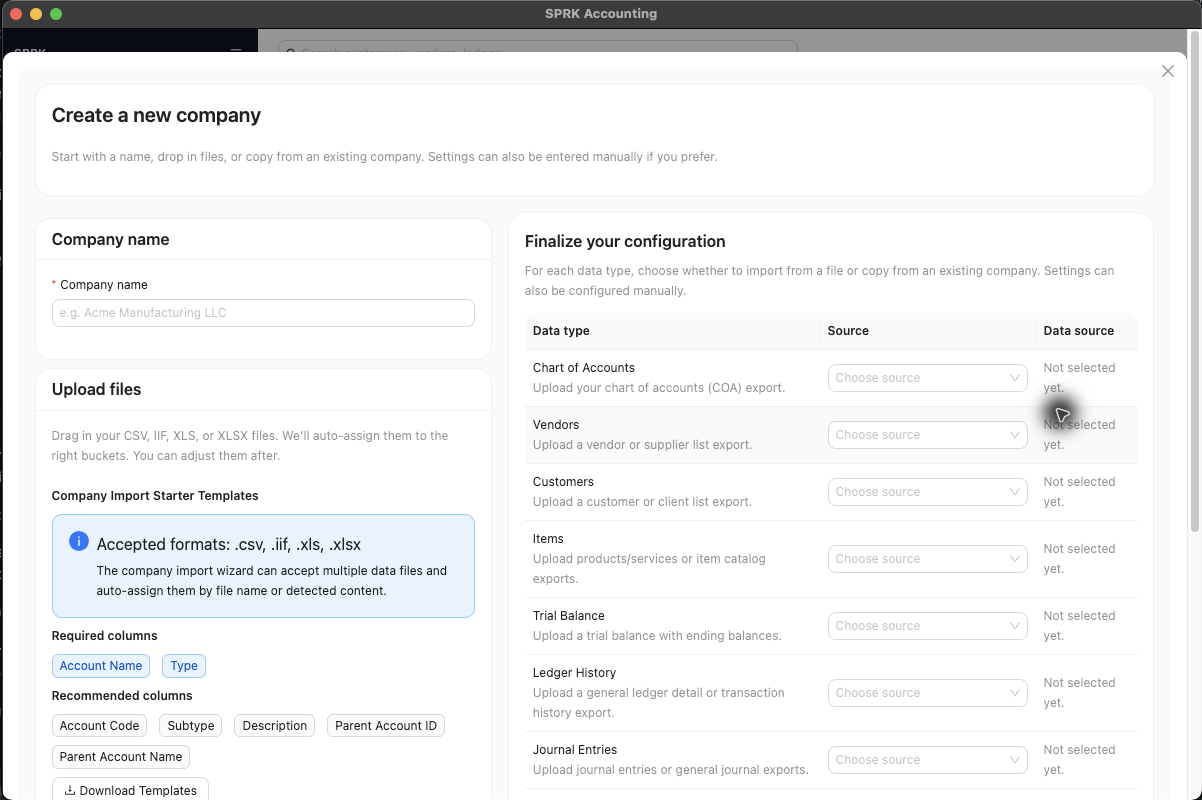
| Build a new company from mixed setup files | Use the Import Wizard | Company name, starter templates, data-type assignments, and required setup records |
| Import bank or credit card activity | Import bank transactions | Selected bank account, file columns, duplicates, and pending review state |
| Import journal entries | Prepare and review ledger imports and exports | Balanced rows, account labels, dates, vendors, and preview totals |
| Import grouped invoices | Import invoices | Customers, invoice numbers, line accounts, and Receive to routing |
| Import grouped bills | Import bills | Vendors, bill numbers, line accounts, and Pay from routing |
| Import banking rules | Create and manage rules | Rule conditions, actions, account resolution, and preview rows |
Before You Commit
- Confirm the active company before selecting any import file.
- Preserve a copy of the source data before changing it.
- Review the source file before importing:
- Remove duplicate rows you do not want in SPRK.
- Confirm dates use the intended year and format.
- Confirm account names or codes match the accounts you want in SPRK.
- Confirm vendor and customer names are consistent.
- Download the current SPRK template when the import page offers one.
- Review preview totals, dates, accounts, names, warnings, and selected rows before confirming.
- Stop if the preview shows missing accounts, ambiguous names, invalid dates, out-of-balance entries, or unexpected totals.
- For invoice or bill imports, do not combine control-account routing and settlement-account routing for the same document.
What Not To Assume
- Previewing an import does not mean the data has posted.
- Confirming an import can create records, pending transactions, or journal entries depending on the workflow.
- Grouped invoice and bill imports can create posted documents when their status and account routing call for it.
- A familiar source system does not make preview warnings safe to ignore.
- If the preview is unclear, stop and resolve the source file before committing.
If something looks wrong
| What You See | What To Check | What To Do Next |
|---|---|---|
| The file is ready but the company has not been checked | Whether the intended company is active | Switch companies before importing if needed |
| The spreadsheet looks close to the expected layout | Whether the current SPRK template uses the same columns | Use the current template when one is available |
| The preview shows warnings | Whether the warnings affect records you plan to import | Resolve preview warnings before confirming |
| A full file is being imported again | Whether SPRK identifies the retry as safe | Avoid repeated full imports unless the preview supports it |
| The file type does not match the workflow | Whether the file belongs to bank review, ledger import, invoices, or bills | Use the import path that matches the source activity |
| Paid-now invoice or bill rows are in the file | Whether Receive to or Pay from routes them to a settlement account |
Review settlement routing before importing |