
Use this guide to choose the right banking task before categorizing, matching, confirming, transferring, or resolving bank activity.
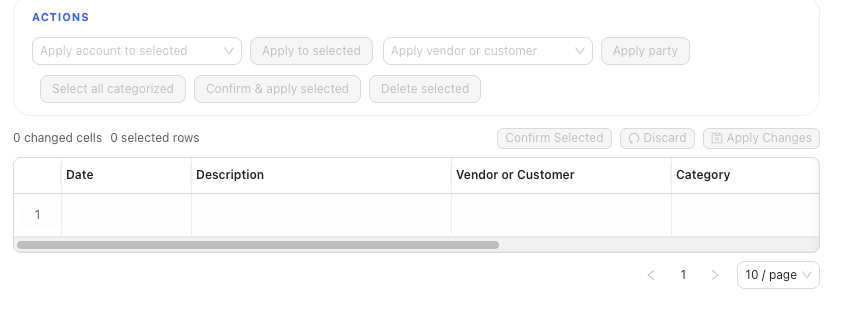
Use This Page When
Banking review can create ledger entries, apply payments, clear checks, and affect later reconciliation. Start here when pending or confirmed bank activity needs a decision before you continue.
Choose This Path If
| Goal | Use | Check First |
|---|---|---|
| Assign account, split, vendor, or customer details to pending rows | Classify bank transactions | Selected bank account, pending row details, target account, split total, and party |
| Match money received or spent to a source document or check | Match bank transactions | Candidate invoice, bill, or check; party; date; amount; and difference |
| Review a bank-to-bank or bank-to-cash movement | Review bank transfers | Both accounts, amount, date, memo, candidate transfer, and reconciliation state |
| Repair the accounting link for a confirmed row | Resolve confirmed bank transactions | Confirmed row, linked journal, reconciliation state, and supporting detail |
| Import new bank rows into pending review | Import bank transactions | Selected account, file columns, duplicates, and pending review state |
| Create or import rules for repeated patterns | Create and manage rules | Rule scope, order, conditions, actions, and account resolution |
Before You Commit
- Confirm the selected bank or credit card account before editing or confirming rows.
- Treat
Pendingas review state andCategorizedas confirmed state. - Confirming a bank row can create or link accounting activity.
- Matching from Banking can record invoice receipts, bill payments, or check clearing as part of confirmation.
- Transfer review can reuse an existing counterpart or create a separate transfer, so compare the candidate carefully.
- Resolving a confirmed row can change the accounting trail without returning the row to pending review.
What Not To Assume
- A rule suggestion or vendor default does not mean the bank row has posted.
- A saved vendor default can prevent the same default-expense prompt from repeating for that vendor later in the same bulk-confirm run. Continue reviewing each row; prompt suppression is not confirmation.
- A row-level rule draft can begin with the full normalized description. Narrow it before saving when the text is too broad or too transaction-specific.
- Customer assignment is not the same thing as matching an invoice payment.
- Likely-duplicate warnings flag rows for review; they do not automatically skip or delete a transaction.
- Grid Edit draft changes are not the same thing as confirmation.
- Removing a GL link does not delete, unconfirm, or unreconcile the bank row.
Practice and examples
- Practice reference: bank-review-classify-confirm.csv