
Choose a history-preserving correction path when posted ledger, journal, account, or bank-linked activity should not be overwritten.
Use This Page When
Use this page when you are asking “why can’t I edit this?” or “should I reverse this instead?” during accountant review.
Choose This Path If
| Situation | Use | Check First |
|---|---|---|
| The transaction belongs to an invoice, bill, check, payment, or bank row | The source workflow for that record | Source status, payment state, and linked journals |
| The original manual journal was wrong and should remain visible | Record journal entries | Whether reversal or a correcting journal is the right audit trail |
| You are not sure whether to use a journal entry | When to use a journal entry | Whether an invoice, bill, payment, check, or bank transaction should own the accounting event |
| A bank-linked item looks wrong | Edit linked ledger and bank activity | Reconciliation state and linked journal behavior |
| A confirmed bank row needs link repair | Resolve confirmed bank transactions | Existing link, candidate GL line, and statement metadata |
| A backdated journal touches posted reconciliation history | Record journal entries | Settlement account, journal date, affected statement periods, and whether voiding is intended |
| A report balance needs investigation | Common accountant corrections | Source transaction, posting state, and correction period |
Before You Commit
- Treat saved journal entries as posted records, not scratch work.
- Confirm whether the company allows the change you need before editing an existing journal entry.
- Confirm whether the account is a nonposting summary account, an account-level control account, or a company-level control account before trying to post it from a manual journal.
- Use reversal behavior when a correction should preserve the original posting trail.
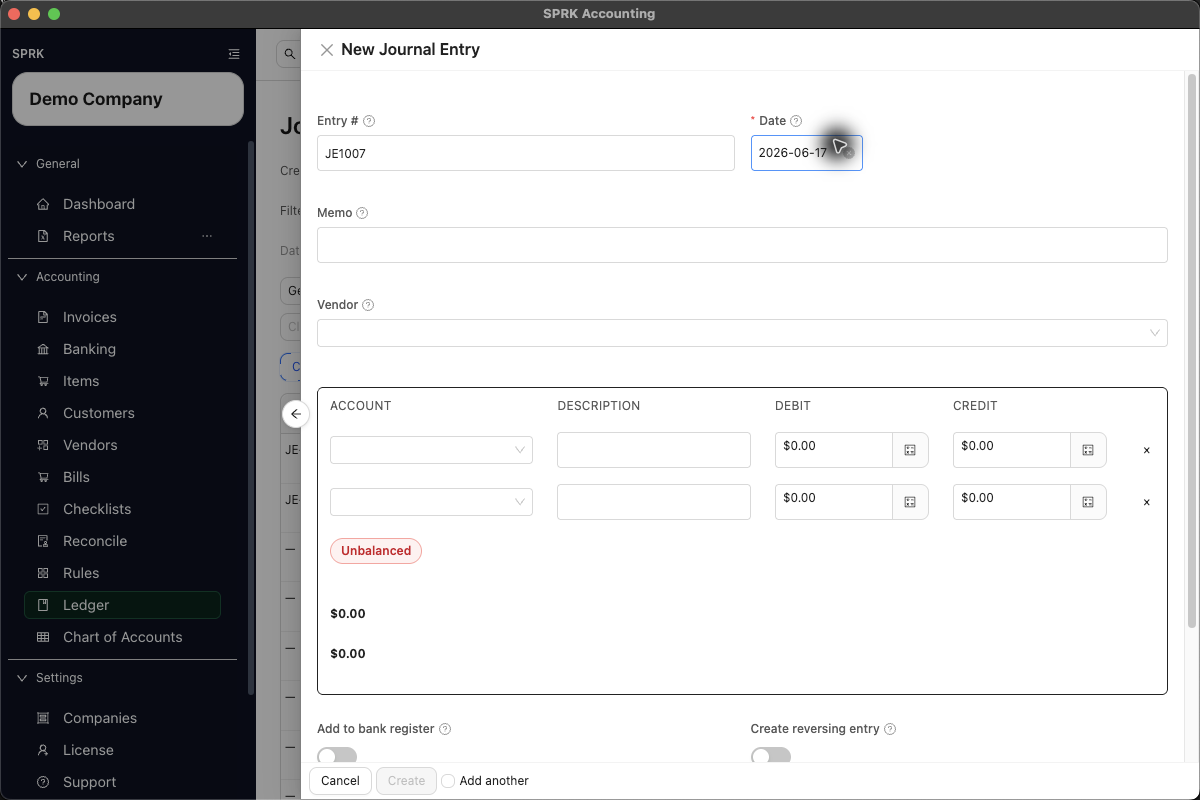
- For a new manual journal entry that should unwind automatically, use the create-time
Create reversing entryswitch. - When reversing an existing posted entry, choose the posting-date mode that fits the correction:
today,original, orcustom. - When
Void affected reconciliation?appears, stop and distinguish a ledger correction from reconciliation evidence.Cancelleaves the journal uncommitted;Void and savekeeps the old session in history asVoidedand removes it from future opening-balance calculations.
What Not To Assume
- Reversal does not delete the original entry; it creates a separate offsetting entry.
- A create-time auto-reversal is not the same as editing a posted journal.
- Control accounts should usually be reached through their source workflow.
- Reconciled bank-linked rows are preserved and corrected with separate activity rather than overwritten.
- Posted reconciliation history is not silently recalculated. When a supported journal correction affects it, SPRK requires explicit confirmation and preserves the affected session as
Voided. - Marking an account inactive does not remove prior ledger activity or create a new journal entry.
If something looks wrong
| What You See | What To Check | What To Do Next |
|---|---|---|
| A reversal appears to leave the original entry visible | Whether reversal created a separate offsetting entry | Review both entries as the preserved audit trail |
| A manual journal account is unavailable | Nonposting and control-account settings | Use the source workflow or choose a posting account |
| A line account cannot be swapped during edit | Current journal edit rules | Use reversal or a correcting entry when the account must change |
| A bank-linked reversal behaves differently after reconciliation | Whether the row was reconciled | Review linked ledger and reconciliation behavior before changing it |
| A journal save asks to void reconciliation history | Whether the settlement account and posting date affect one or more posted statement periods | Review the named account and statement-ending date; cancel unless voiding is the intended audit result |
| An inactive account still appears in history | Whether prior activity exists | Treat inactive status as future-use availability, not deletion |
Practice and examples
- Practice file: journal-reversal-auto-reversal.csv