
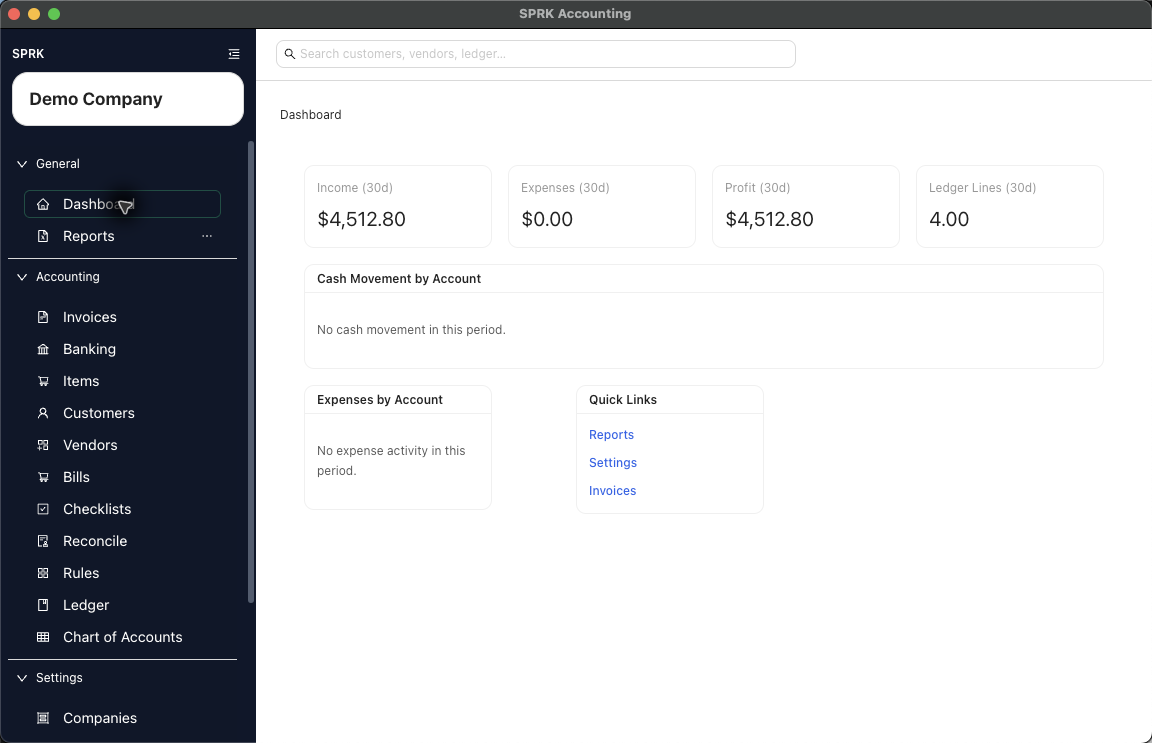
Learn how the active company affects what you see as you move through SPRK and how to avoid working in the wrong company.
Quick reference
| Area | How The Active Company Matters | What To Check |
|---|---|---|
| Sidebar company selector | Sets the company context for the app. | Confirm the intended company before starting work. |
| Dashboard | Shows company-specific summary information and quick links. | Check the sidebar if figures look unfamiliar. |
| Search | Returns records for the active company context. | Confirm the company before relying on a search result. |
| Reports | Runs against the selected company and report filters. | Confirm company, date, and account filters. |
| Transactions and setup records | New records belong to the active company. | Check the sidebar before creating, importing, editing, posting, or confirming. |
Details
The selected company is the working context across SPRK. If you need a different company, use the company selector or open Companies from the left sidebar, then reopen the page you care about.
If something looks wrong
| What You See | What To Check | What To Do Next |
|---|---|---|
| Records or balances look unfamiliar | Active company in the sidebar | Switch to the intended company, then review the page again. |
| Search results look incomplete | Active company and search text | Confirm the company before changing records or broadening the search. |
| A report total looks wrong | Active company, date range, and report filters | Correct the context, then rerun the report. |
| A new record would belong to the wrong company | Active company before saving | Switch companies before creating or importing records. |