
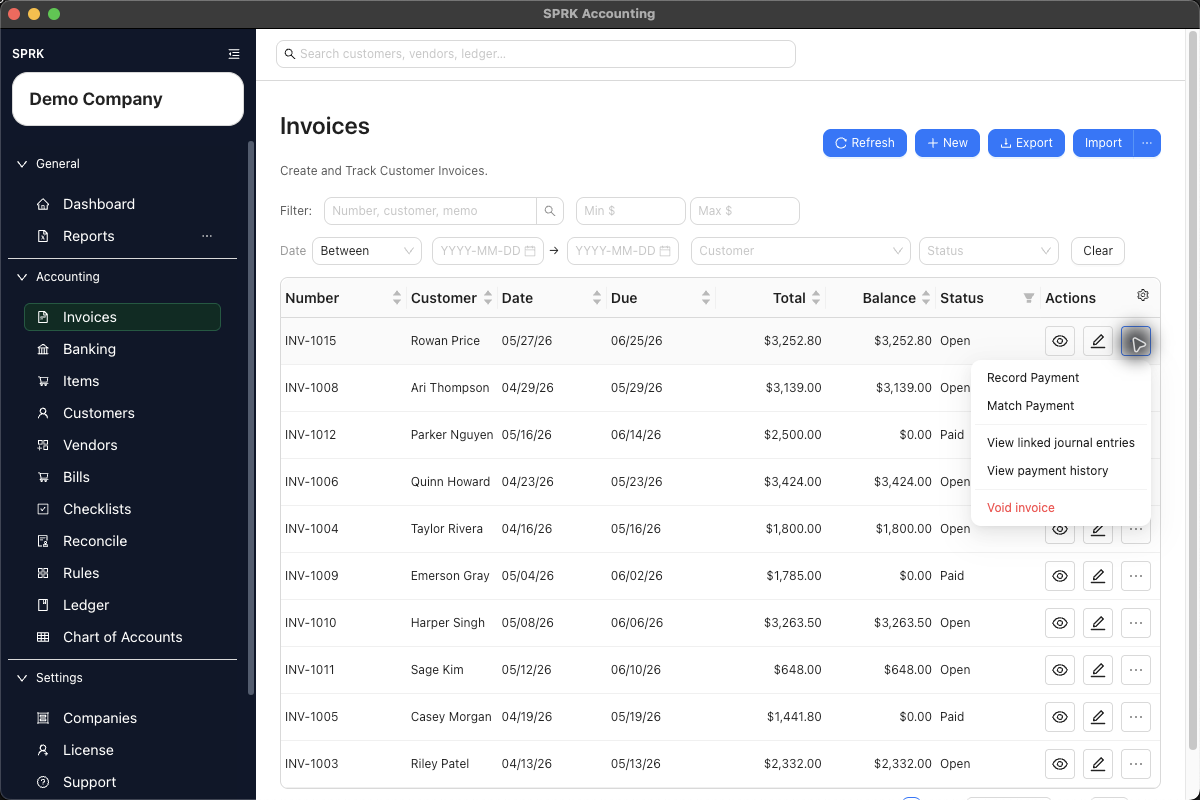
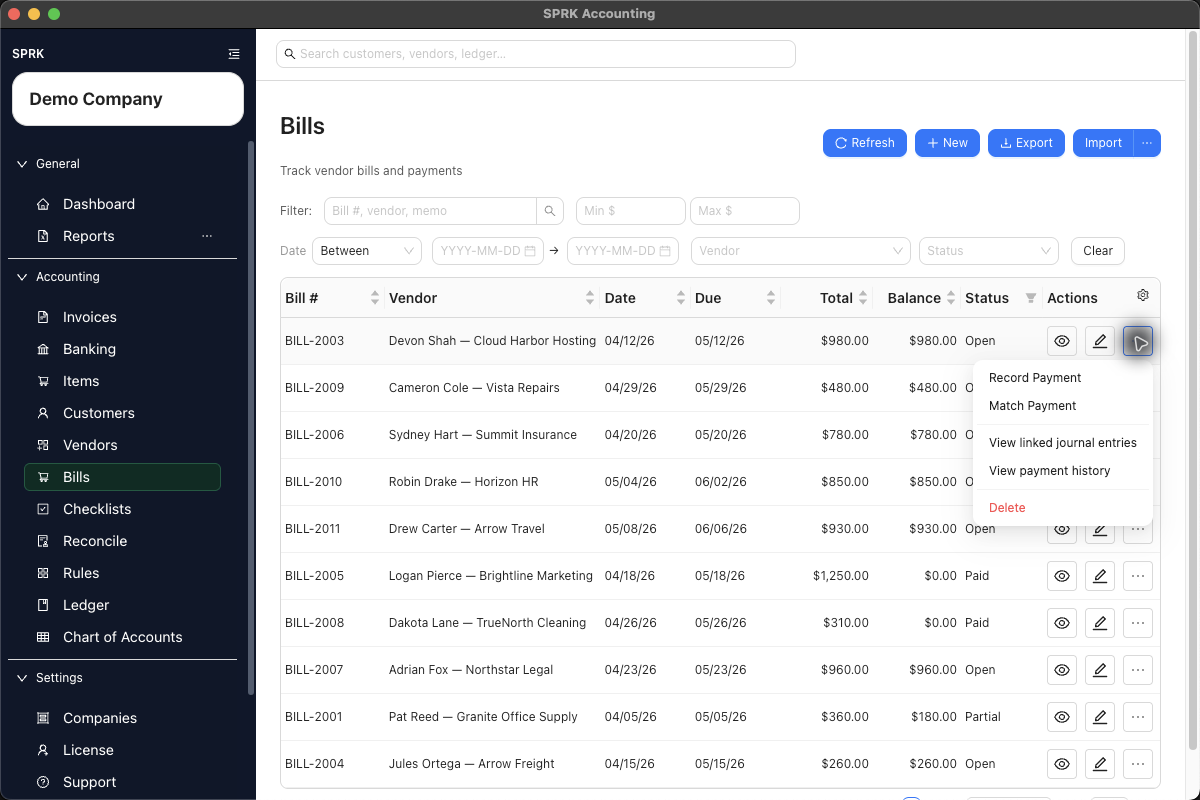
Review invoice and bill payment history from the source document, then use linked journal review to understand the posting trail.
When to use this
Use this guide when an invoice or bill balance changed and you need to trace whether the change came from a direct payment, a Banking match, or a linked journal action.
Steps
- Open
InvoicesorBills. - Find the document by number, party, date, status, total, or balance.
- Use the row action menu when you need document-side review.
- For invoices, the current action menu can show
Print,Record Payment,Match Payment,View linked journal entries,View payment history, andVoid invoiceon eligible rows. - For bills, use the visible row actions for payment, matching, payment history, and linked journal review.
- Use
View payment historyto review applications without editing the document. - Use
View linked journal entriesto inspect the accounting trail. - If a payment must be undone, stay with the document’s linked accounting trail:
- Open
More>View linked journal entrieson the invoice or bill. - Open the journal entry for the payment, then select
Reverse. - Choose the reversal date.
- In
Confirm Source Document Reversal, selectReverse payment applicationfor an invoice payment orReverse bill payment applicationfor a bill payment. - Confirm only after checking the document, amount, and reversal date.
- Open
- Use a document void only when the invoice or bill itself is wrong. Do not delete or rewrite the payment journal manually.
What happens next
You can explain why a receivable or payable balance changed and where to inspect the supporting accounting entry.
- Recording or matching a payment can post a payment entry and update the document balance.
- Reversing a payment-linked journal can deactivate the payment application and reopen the document balance where the source workflow supports that action.
- Linked journals preserve audit history; corrections should use supported reversals or source-document actions.
If something looks wrong
| What You See | What To Check | What To Do Next |
|---|---|---|
| A payment came from a bank match | Whether you are reviewing the pending bank row or the document’s recorded payment | Use the linked journal to trace the posting before choosing a reversal |
| The payment remains in history after reversal | Whether it is shown as inactive or reversed and the document balance reopened | Keep the historical row; the reversal preserves the audit trail |
Practice and examples
Use the practice file and screenshots to review payment history and linked journals from invoices and bills without changing the source document.
- Practice file: document-payment-history-linked-journals.csv



Invoice and bill action menus include payment-history and linked-journal review surfaces.